Mobile Version
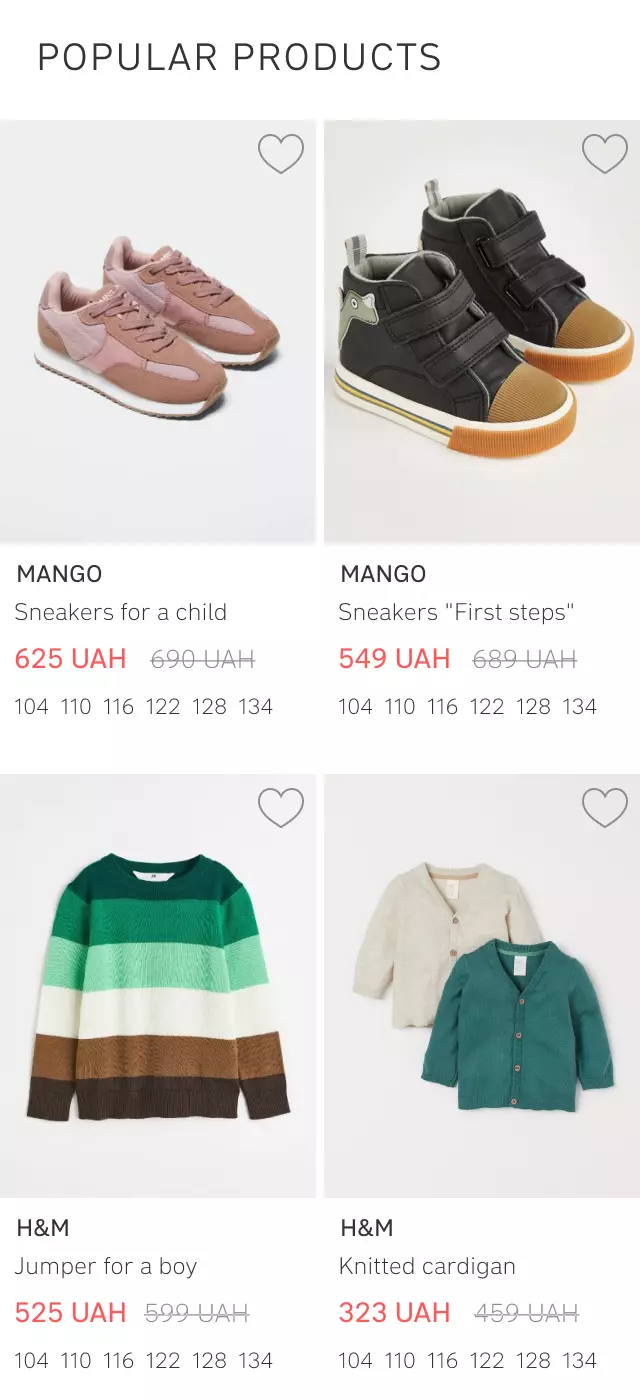
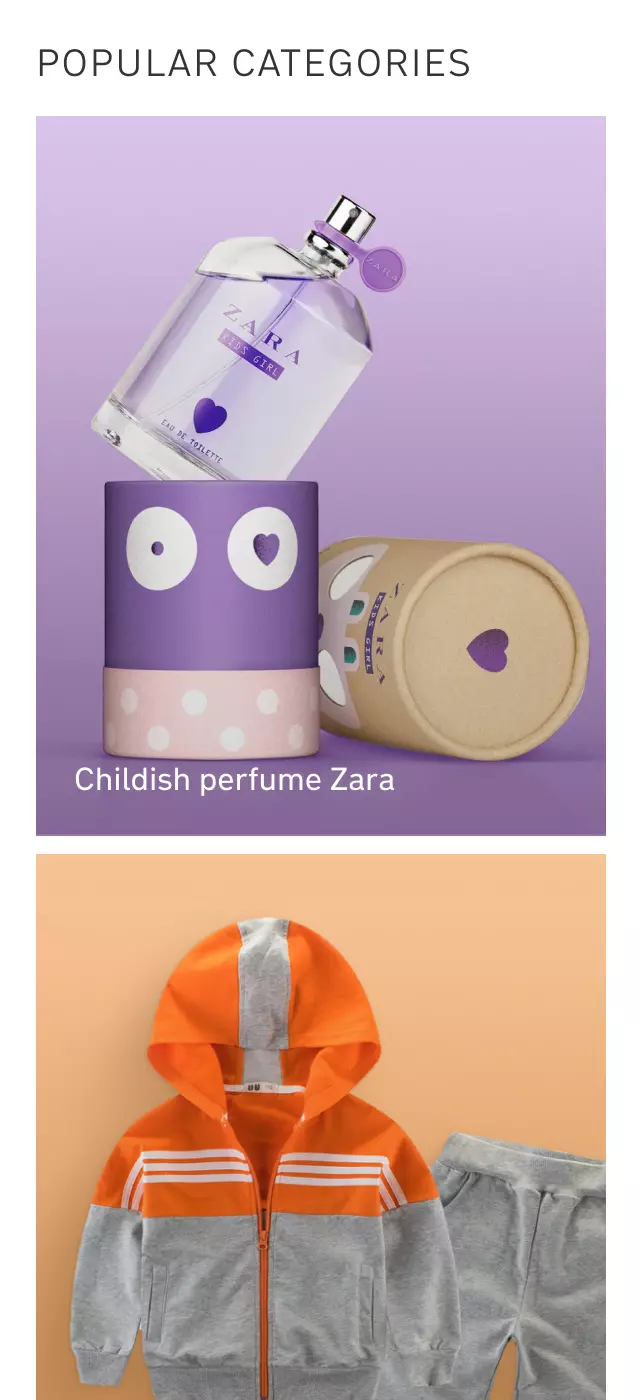
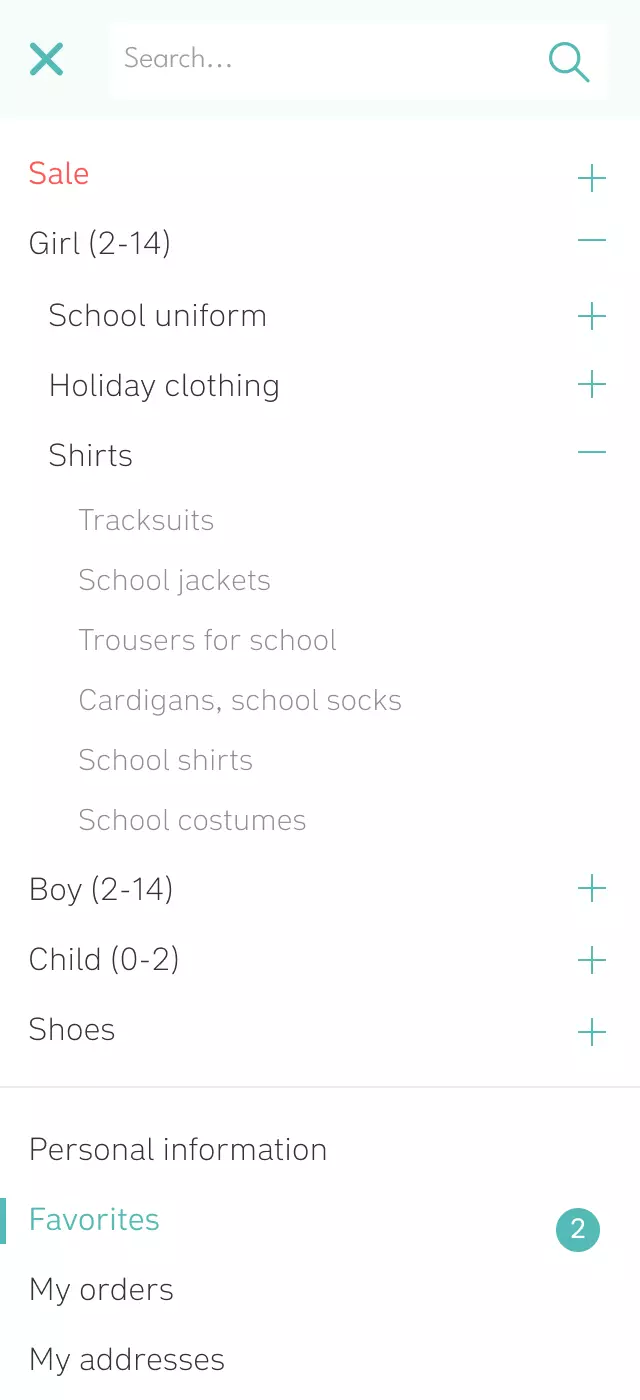
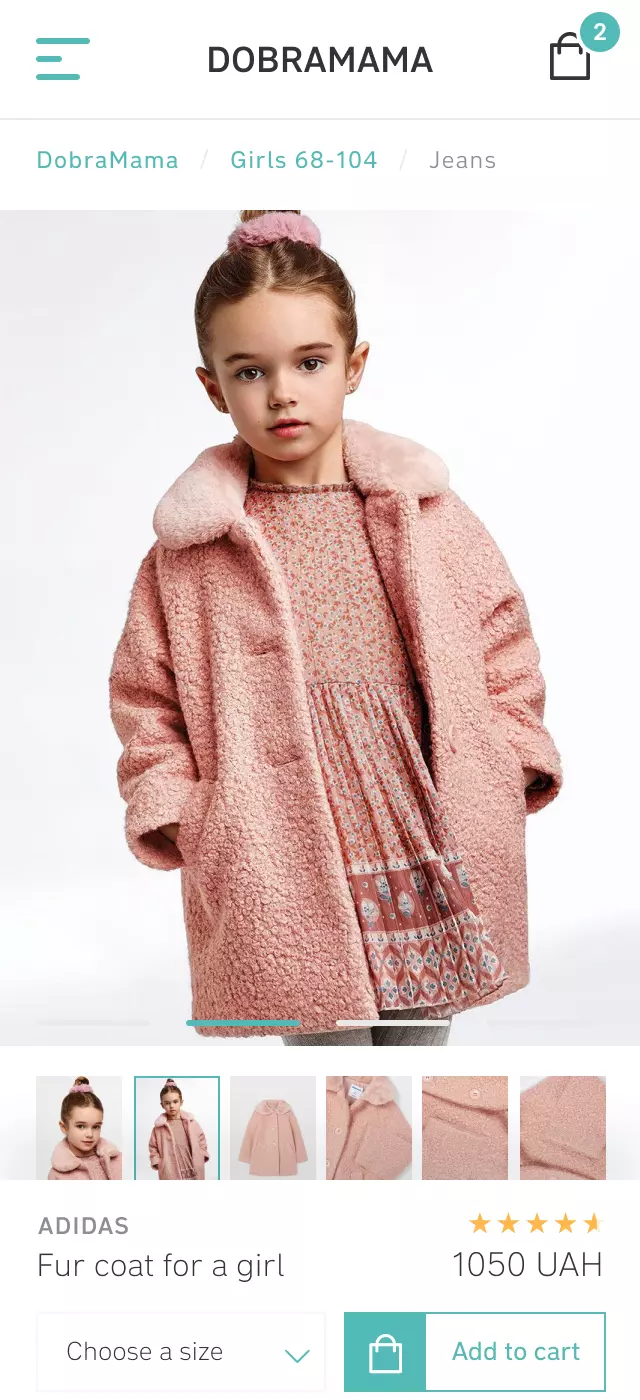
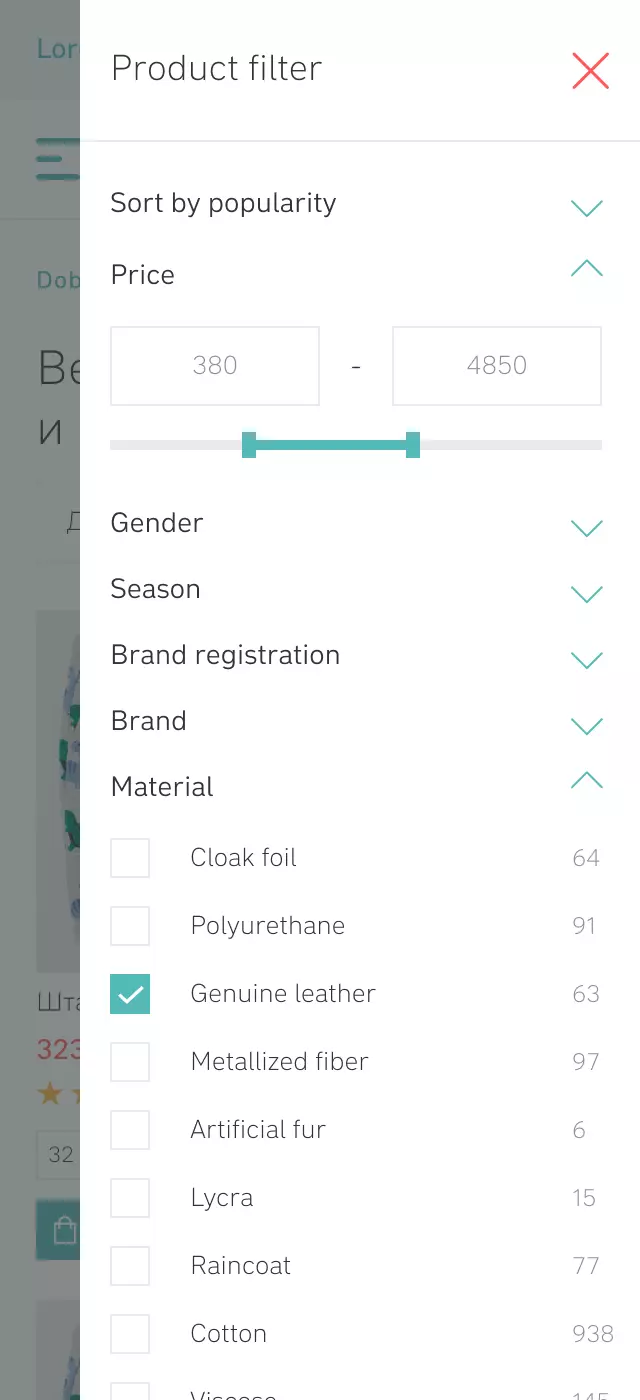
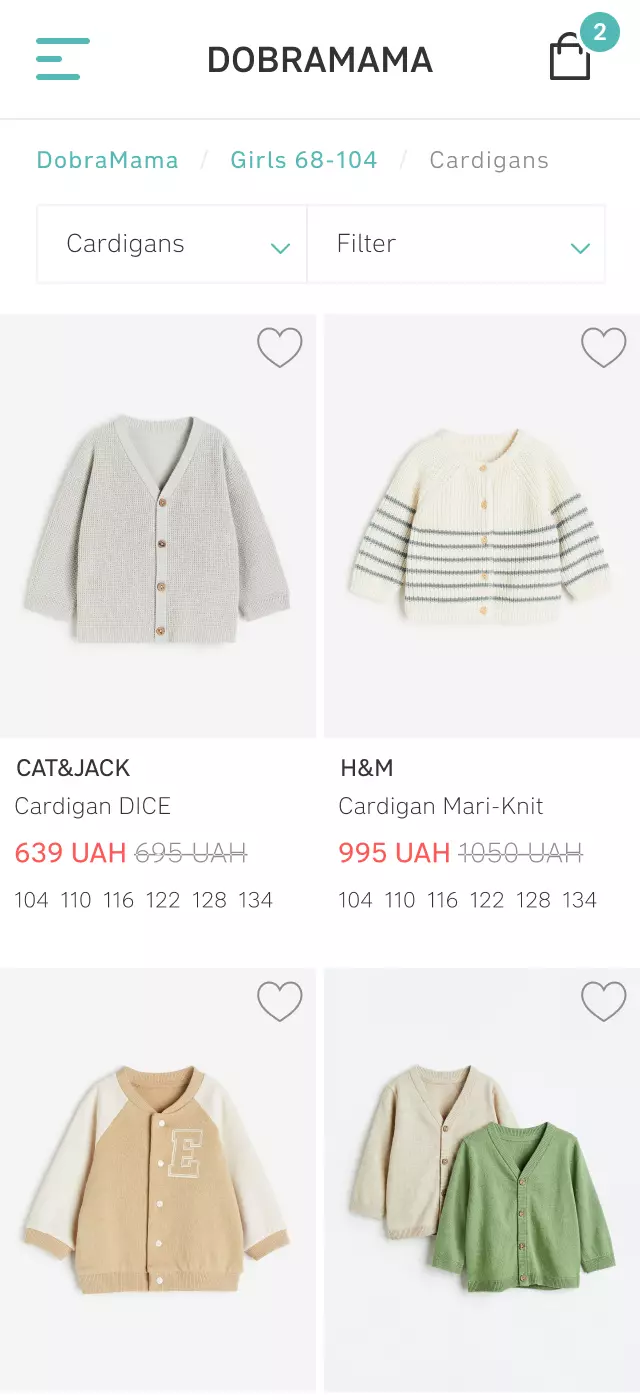
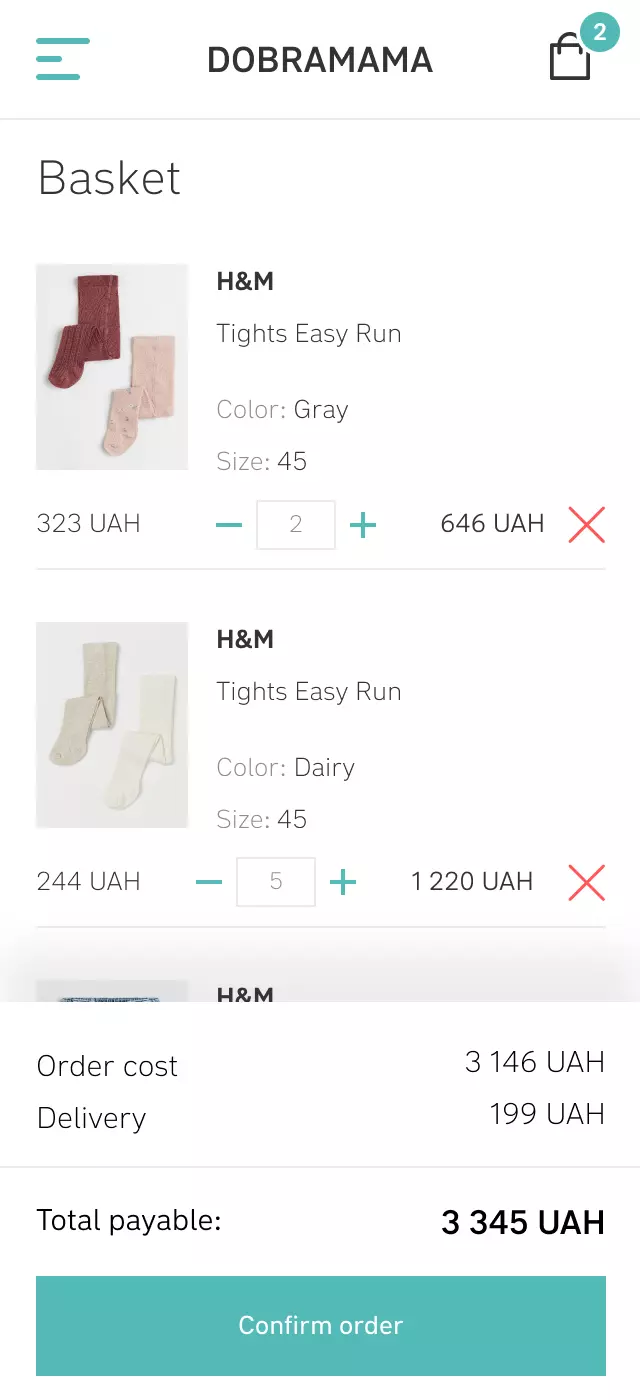
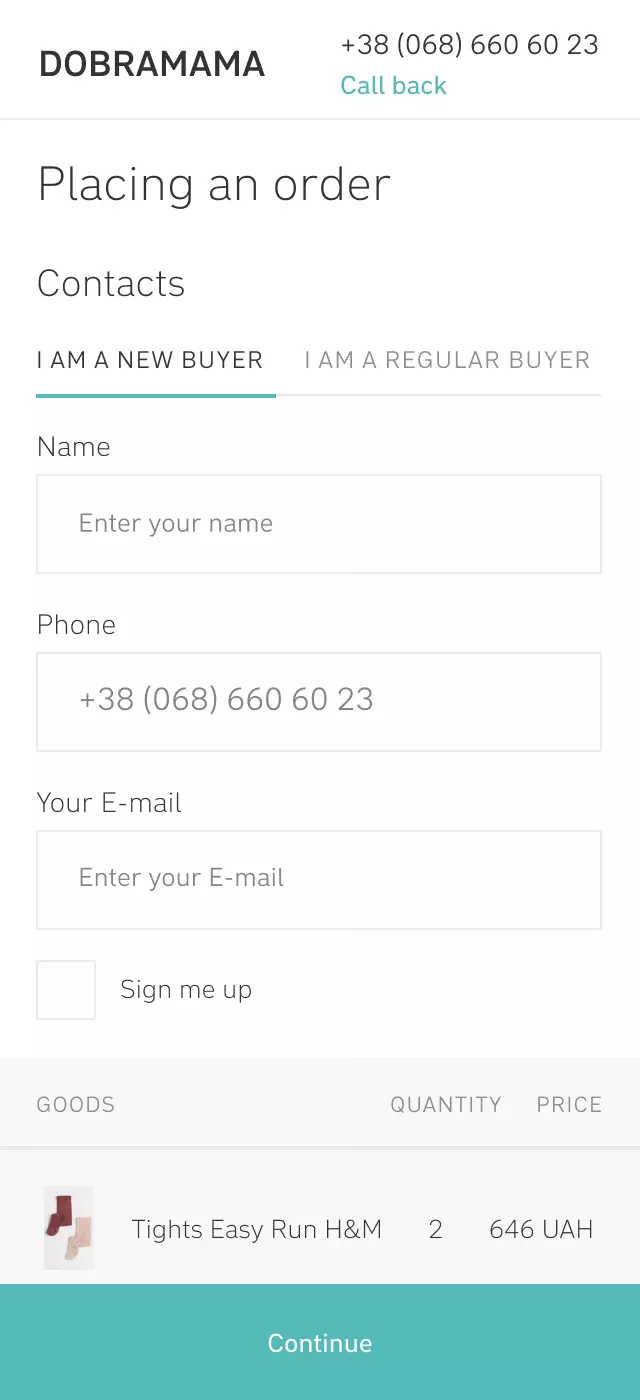
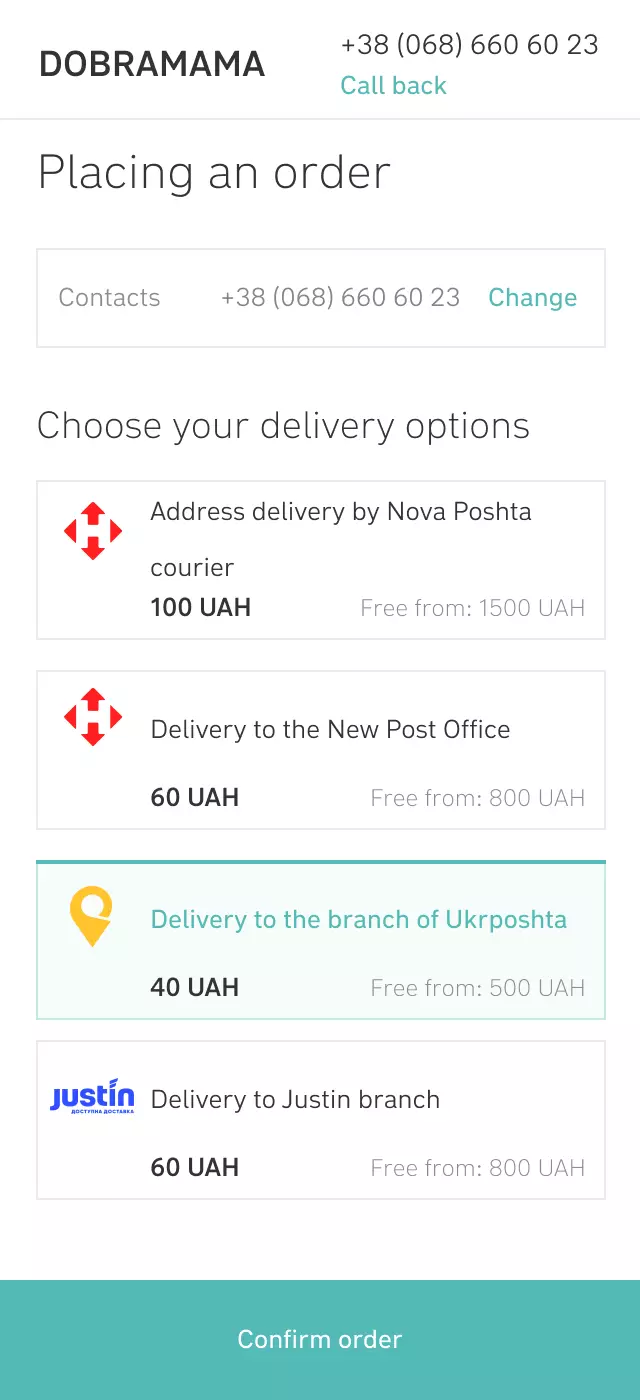
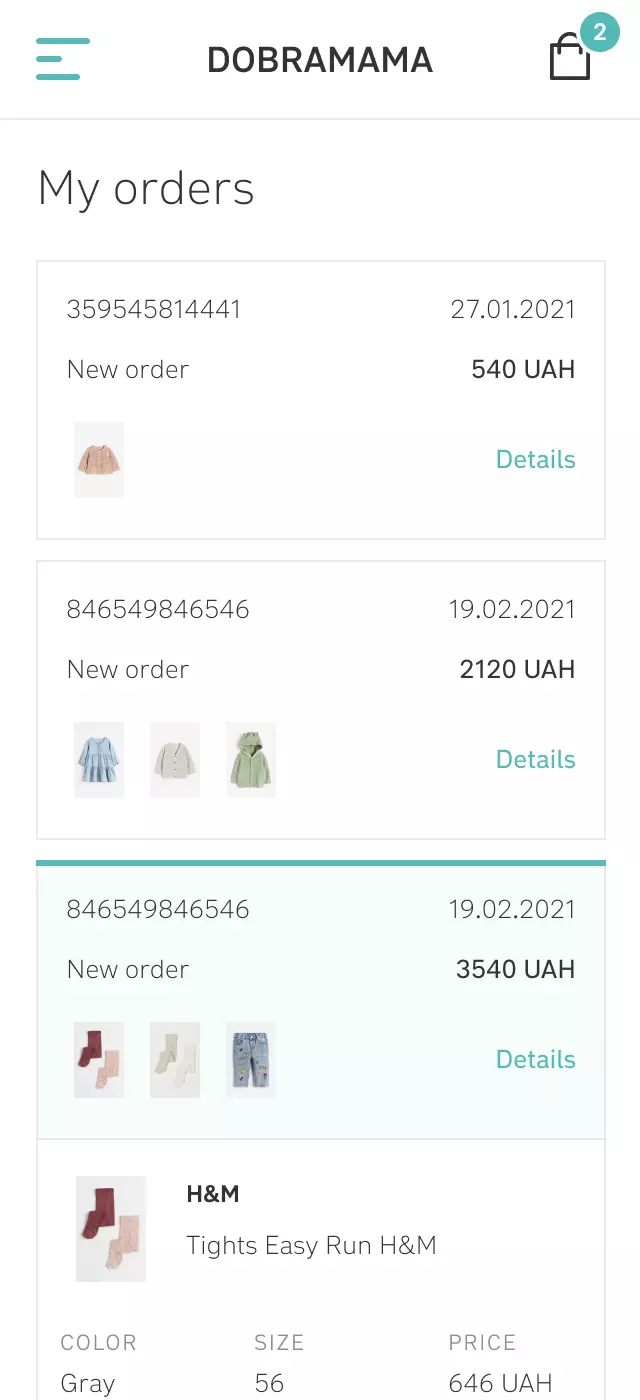
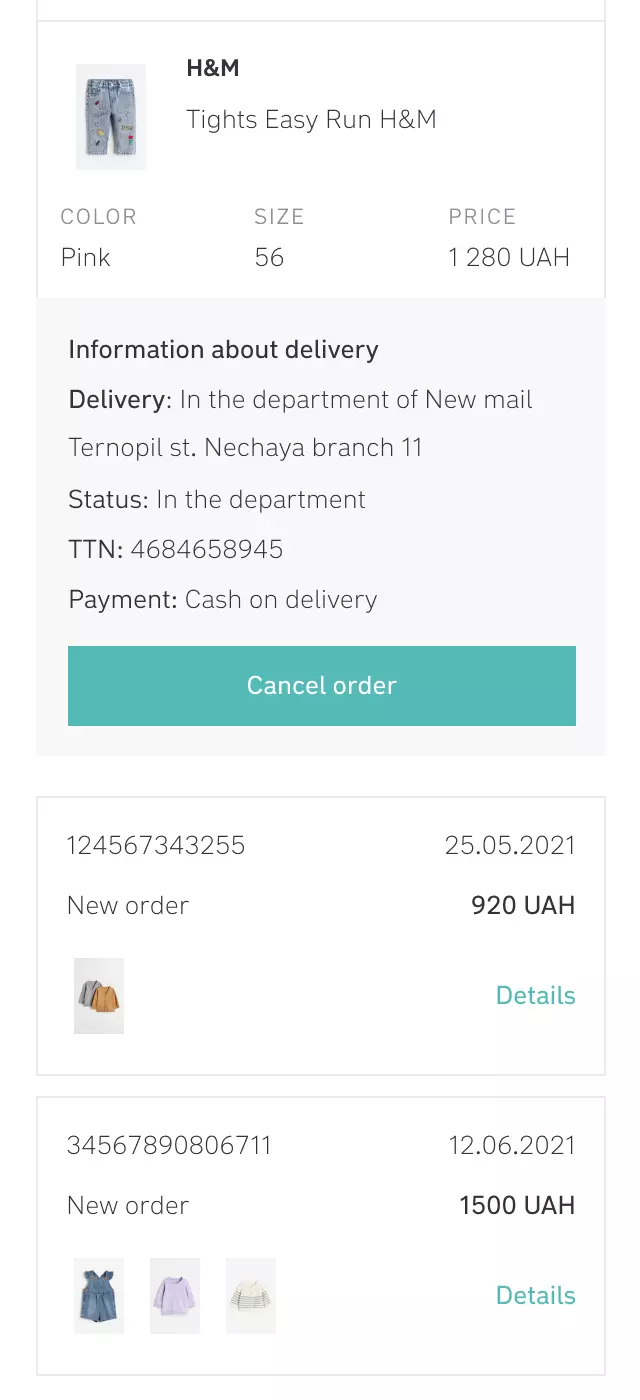
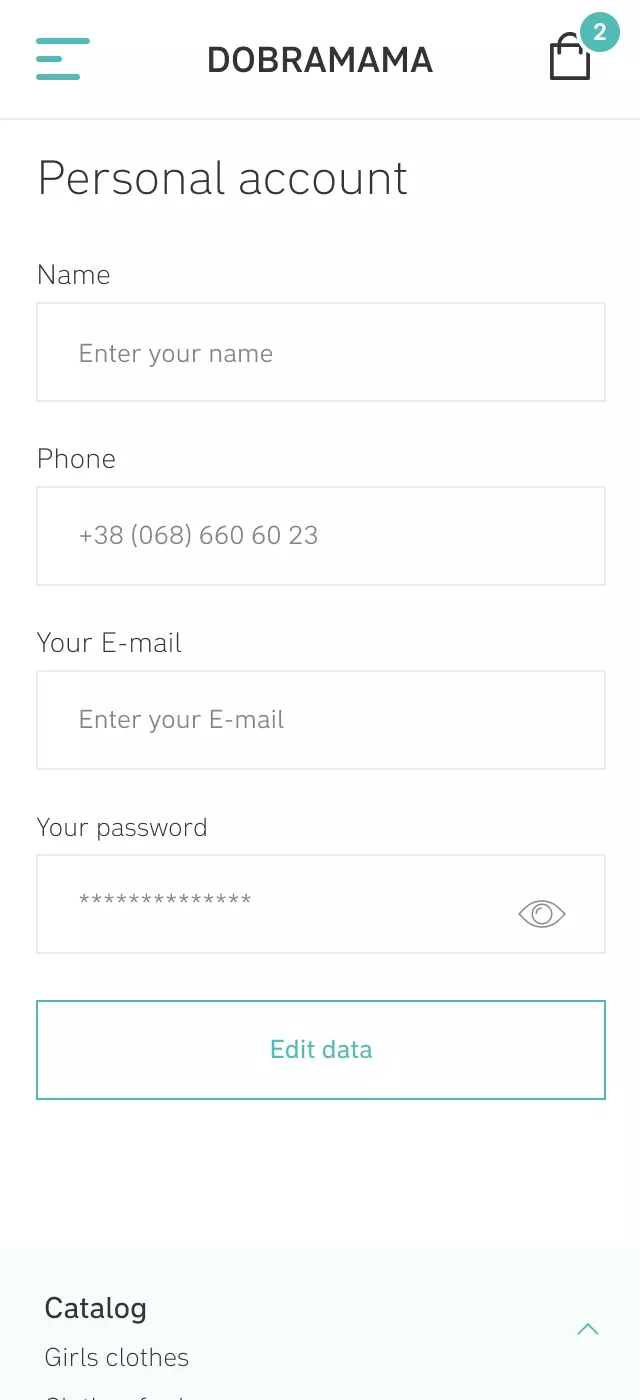
All 15 store templates were adapted for mobile devices to support fast smartphone shopping. Catalog filters, size selectors, the cart, and customer account screens are optimized for touch navigation and quick checkout.
ecommerce
Challenge
Design an e-commerce store for the Dobramama children's clothing brand featuring intuitive age and size filtering and a fast checkout flow.
Scope
Prototypes
Design
Adaptives
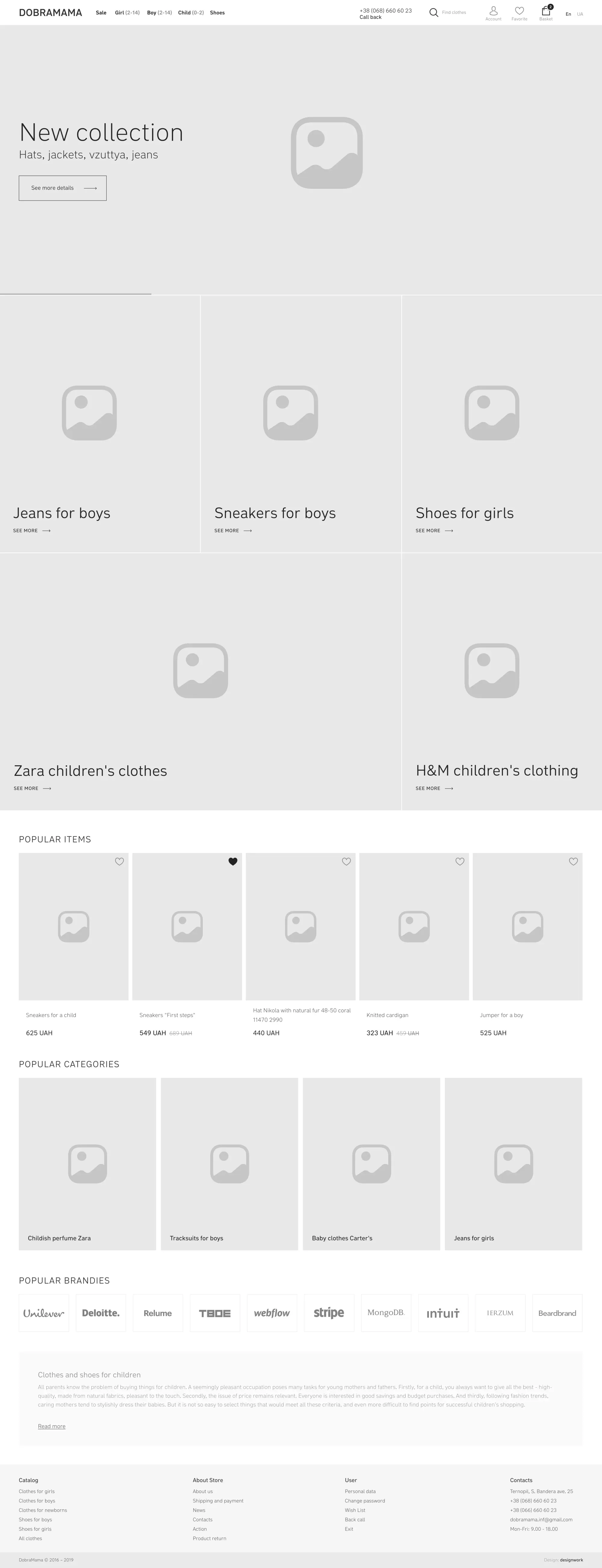
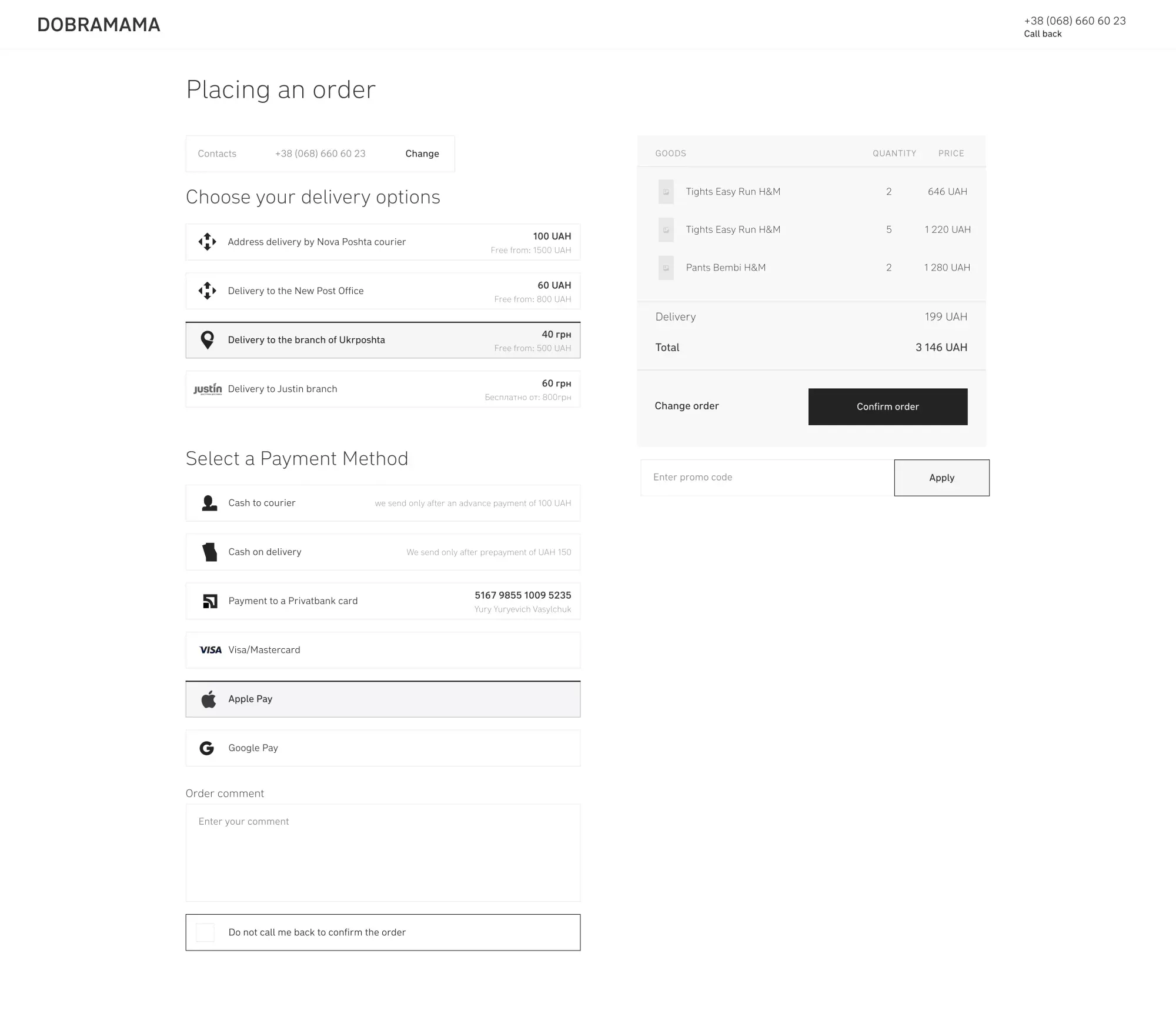
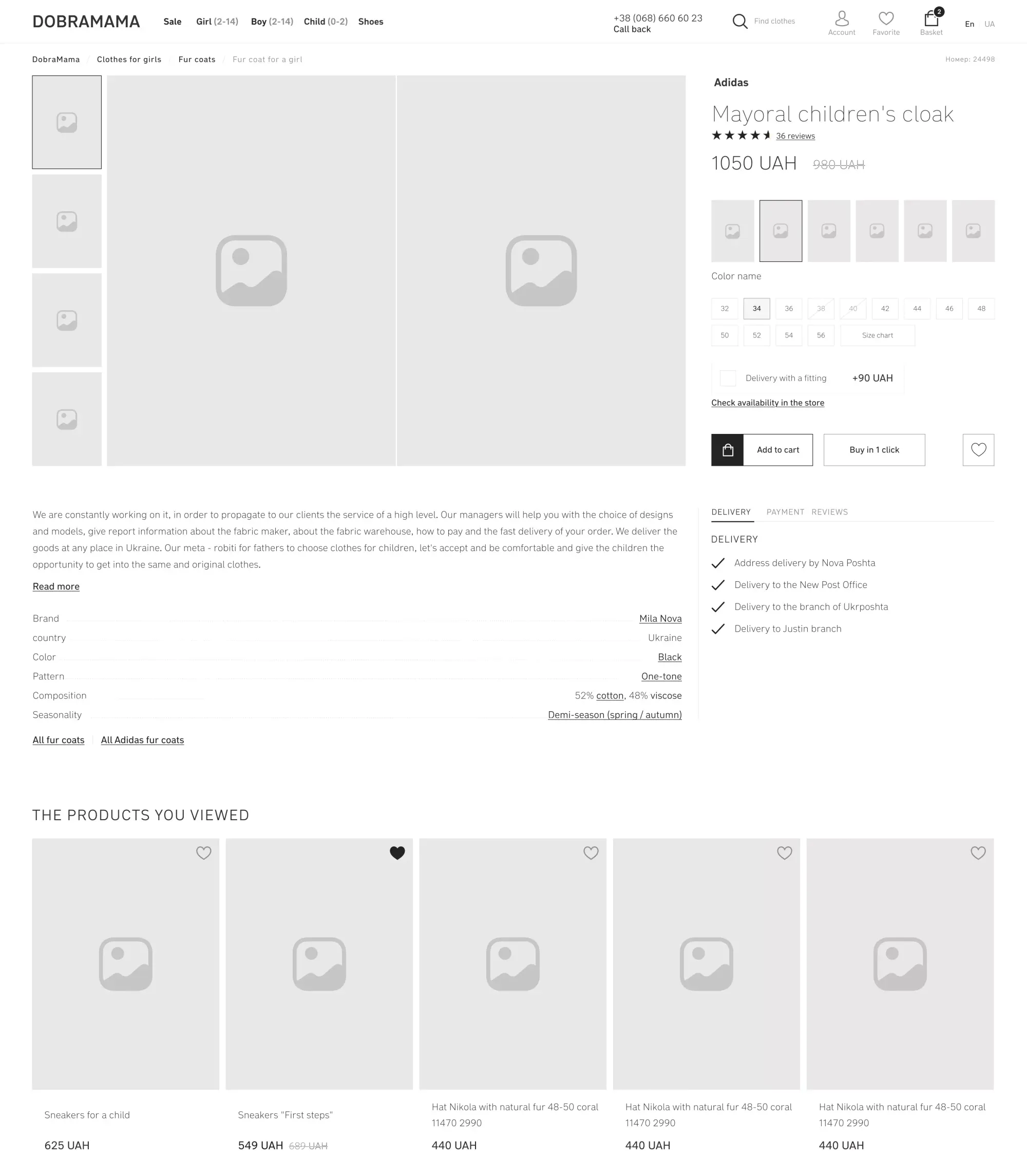
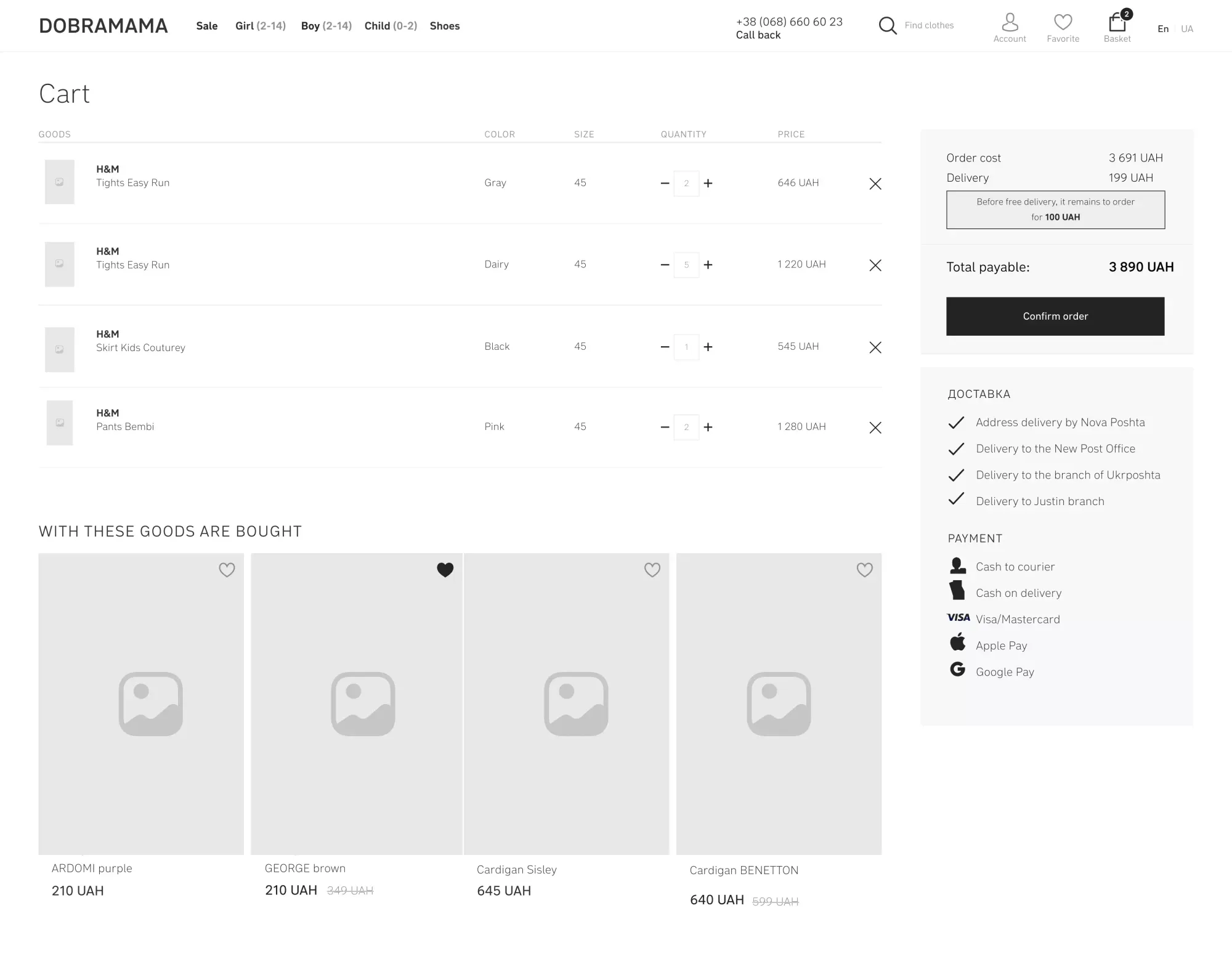
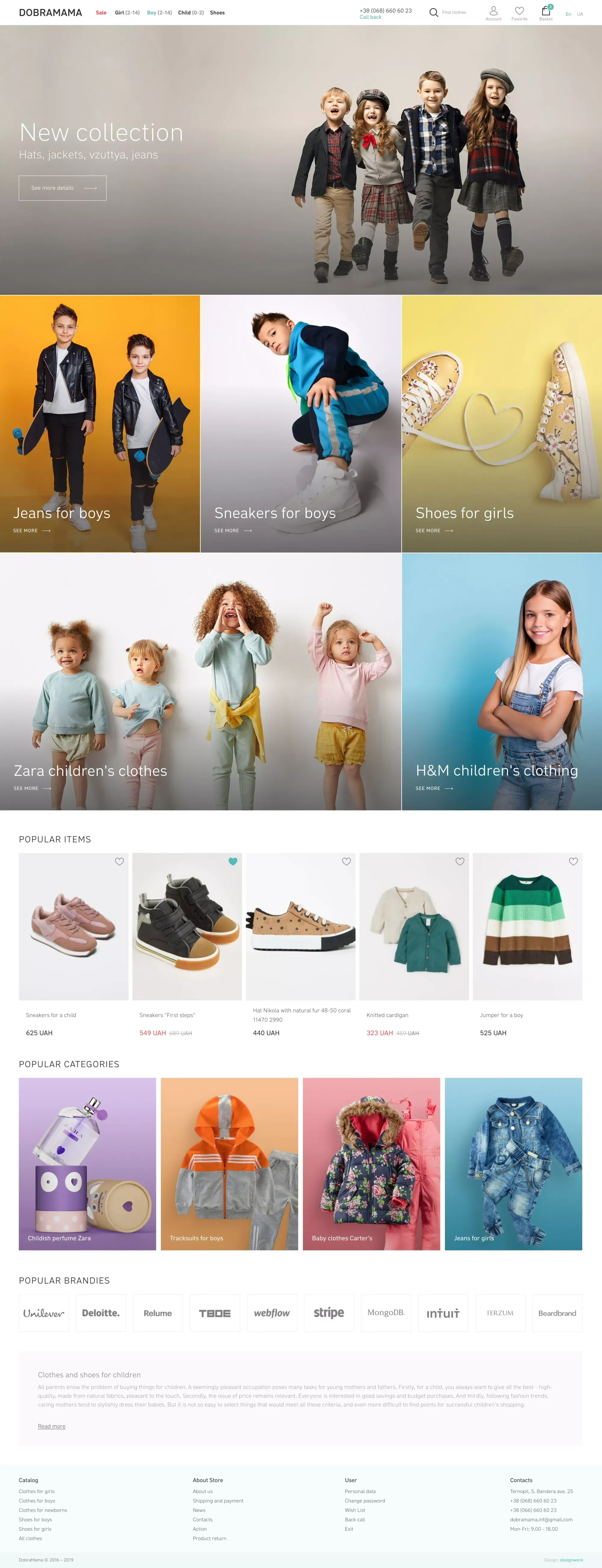
Based on competitor research in the kids' retail niche, we built detailed UX wireframes for all core store pages. We structured age-group navigation, catalog filtering, and a frictionless checkout funnel tailored for busy parents.
Home
Catalog
Checkout
Product card
Cart
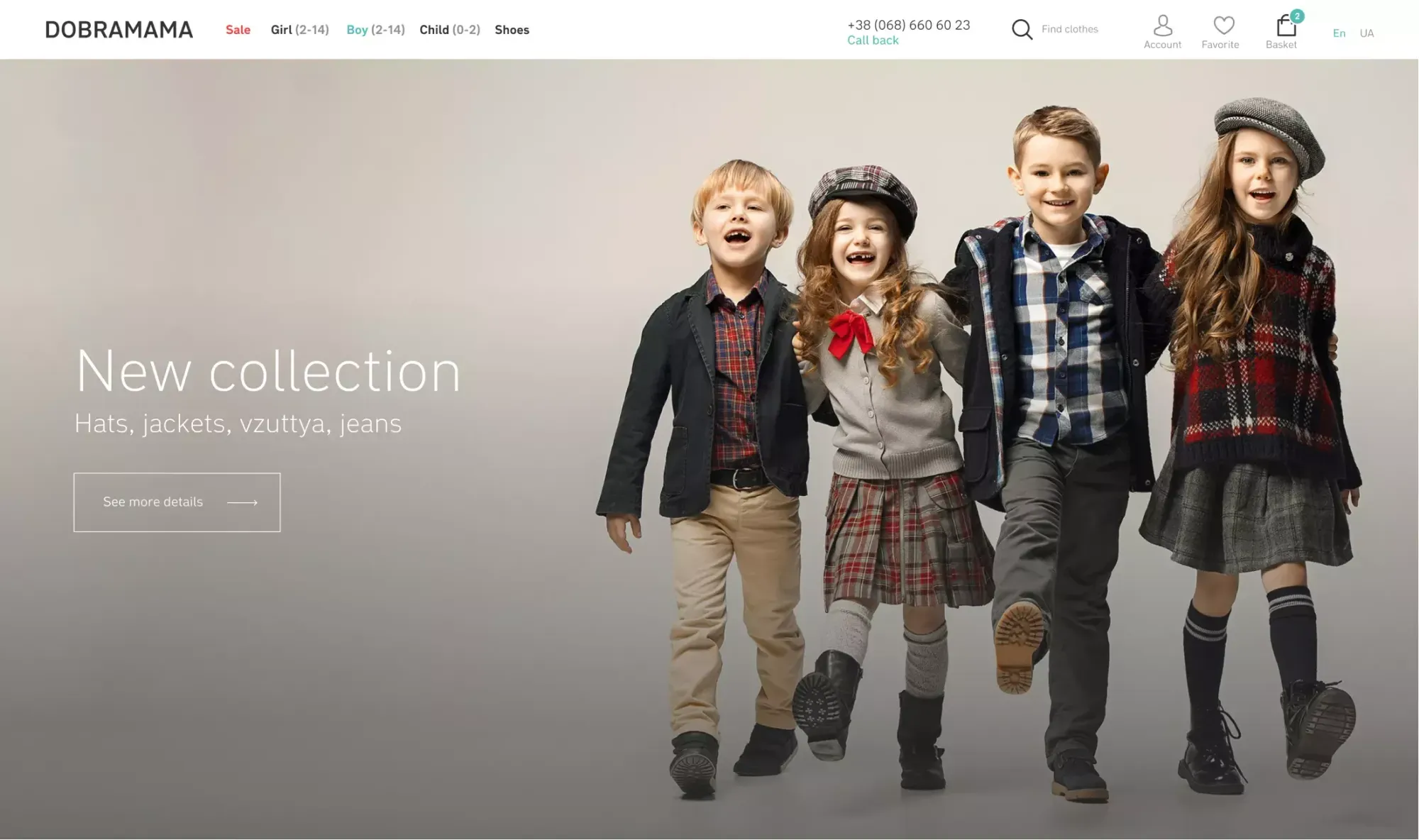
The home page welcomes shoppers with a clean, airy layout and clear navigation by child age and gender (girls, boys, toddlers 0–2, footwear). Large seasonal collection banners, bestsellers, and promotional blocks guide parents straight to the right category.
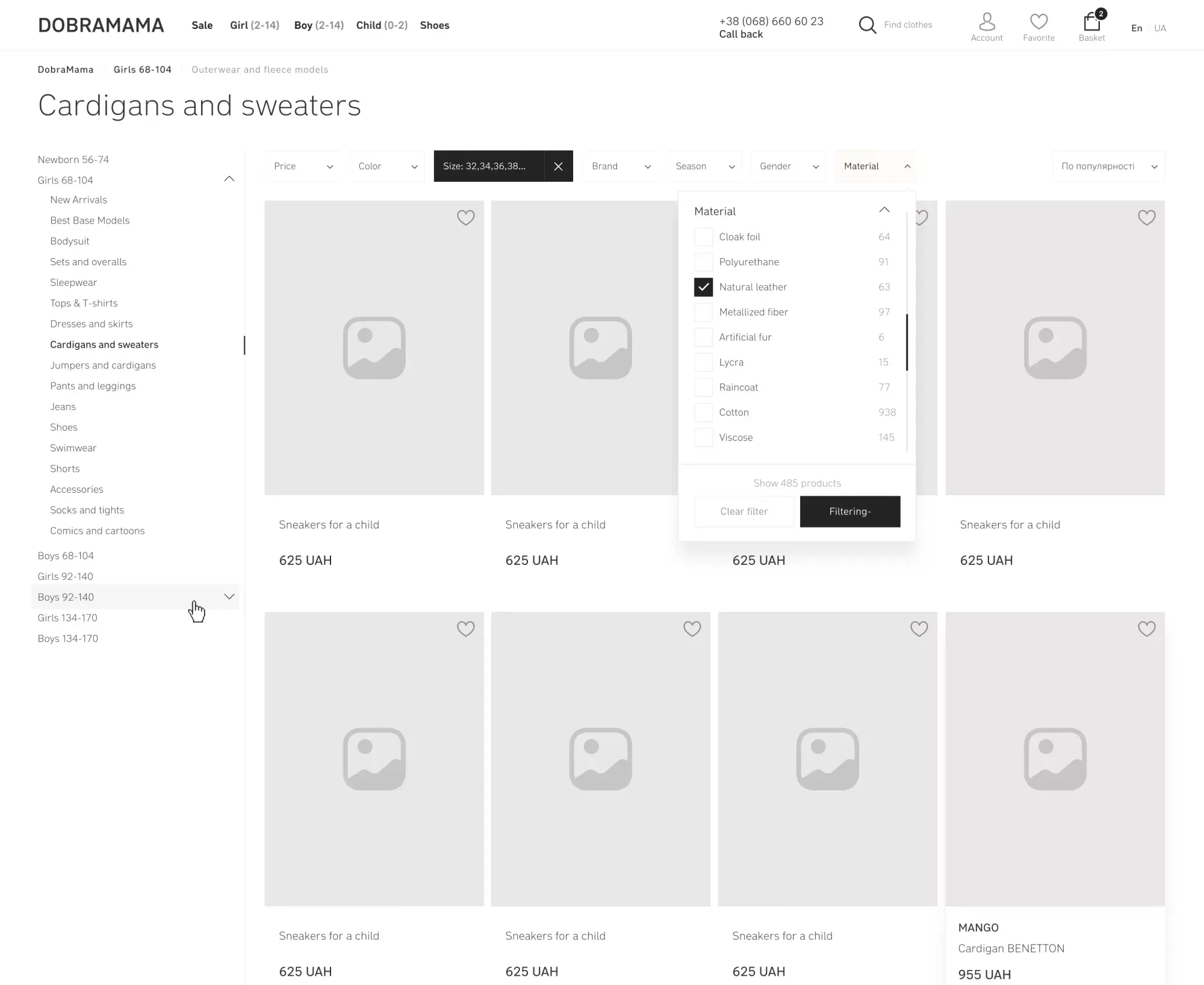
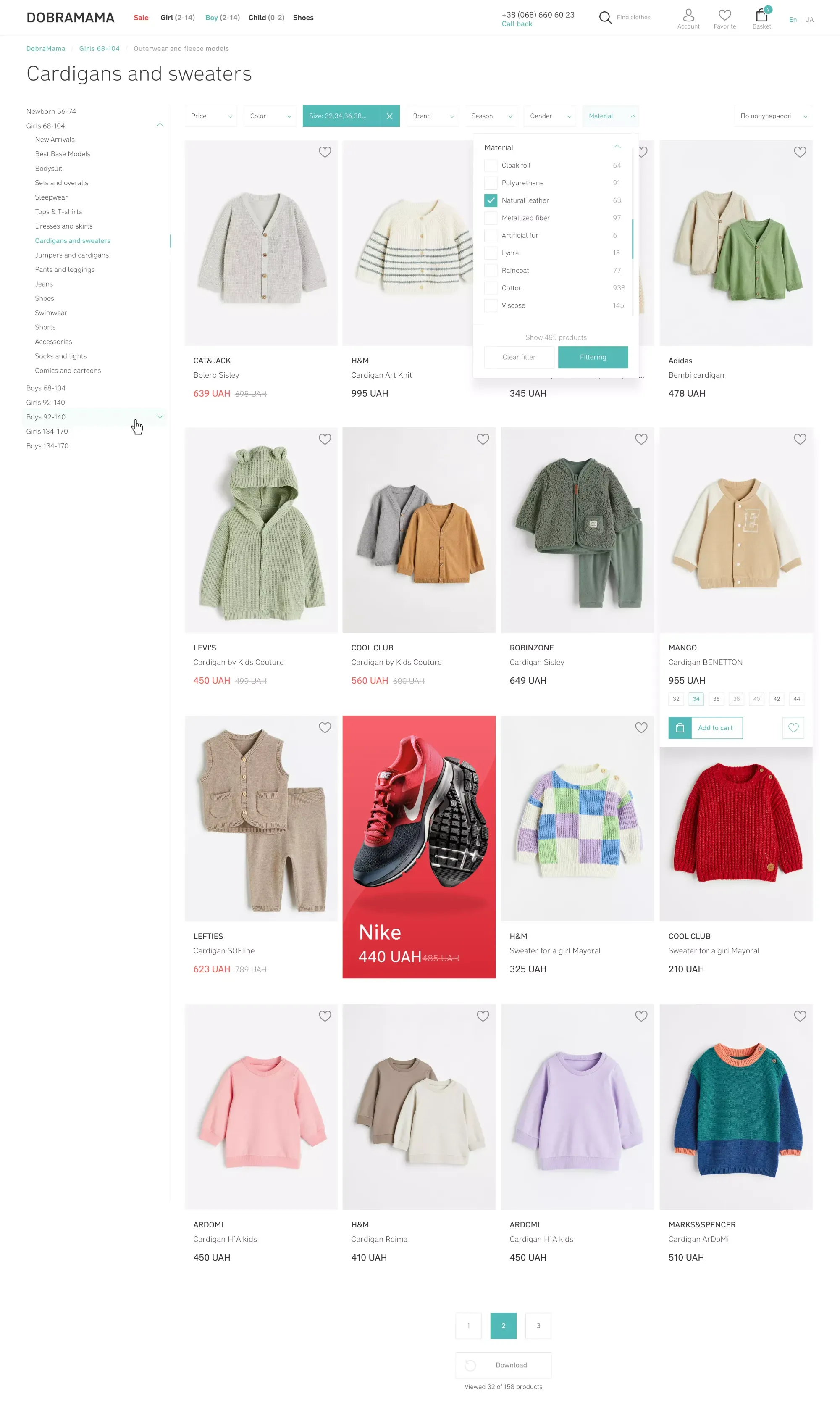
The catalog provides intuitive filtering by category, size, color, season, and brand. Each product card features large photography and inline size selection so shoppers can add items to their cart directly from the grid.
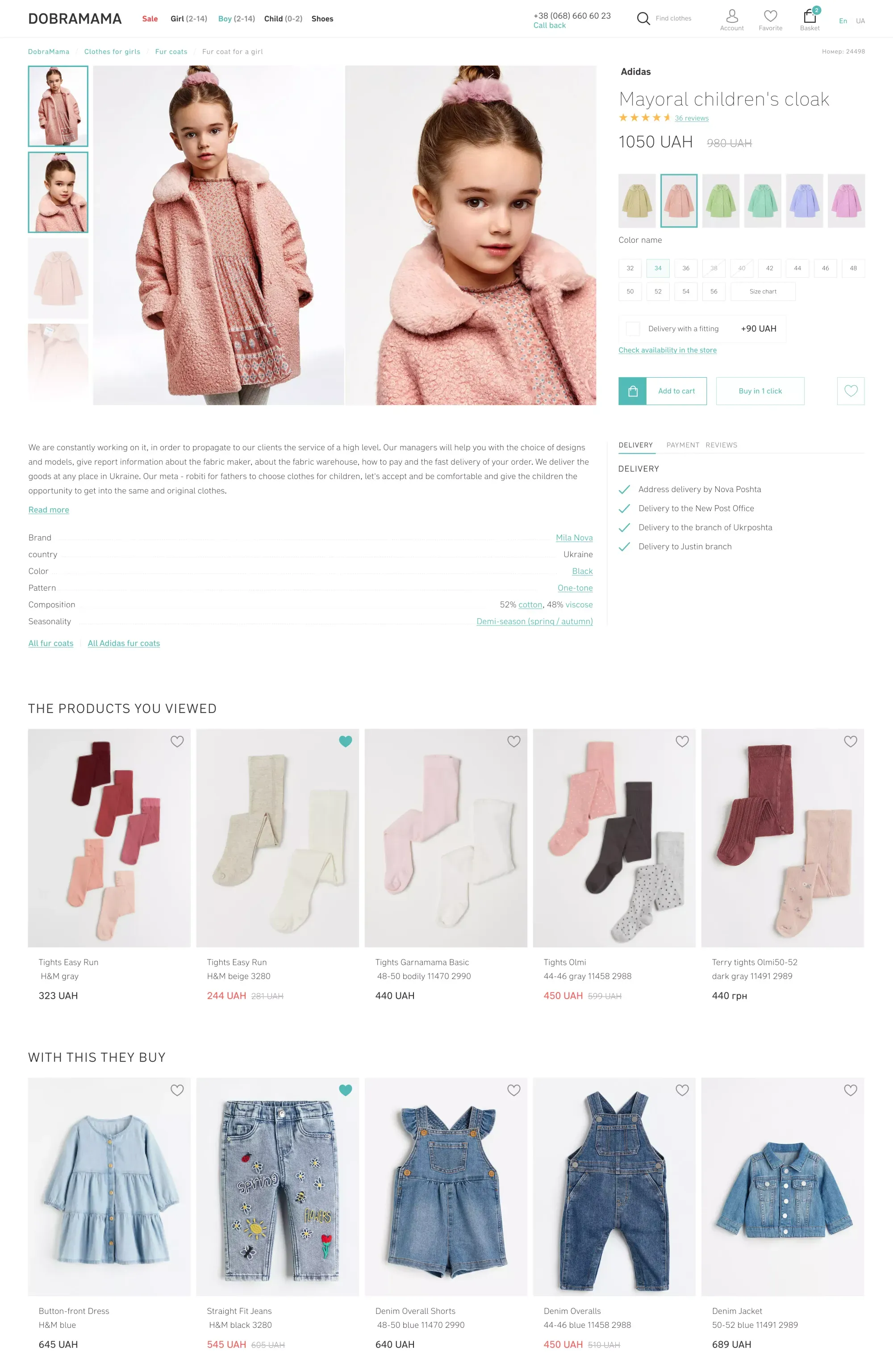
The product page features a dual-image gallery that lets parents inspect fabric textures and garment fit in detail. Alongside color and size selectors, it includes offline store availability, material specs, delivery terms, and customer reviews.
Ready to bring your vision to life? Let's team up on your next project and create something unforgettable together.
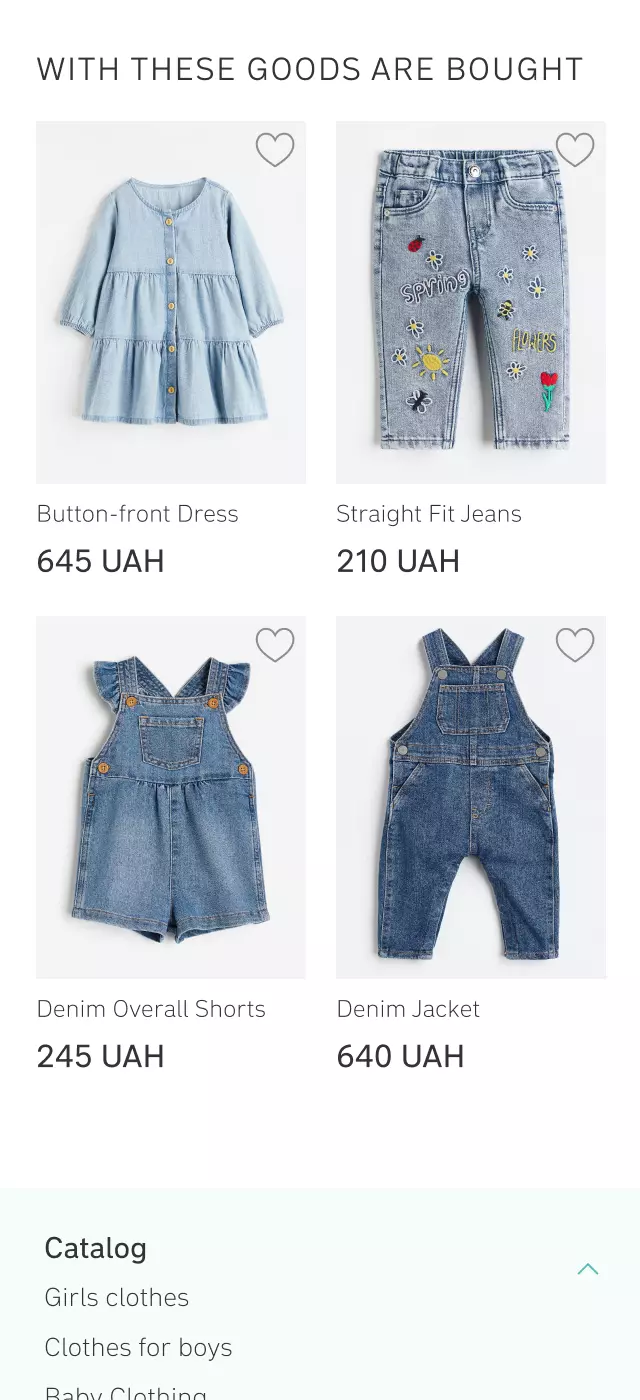
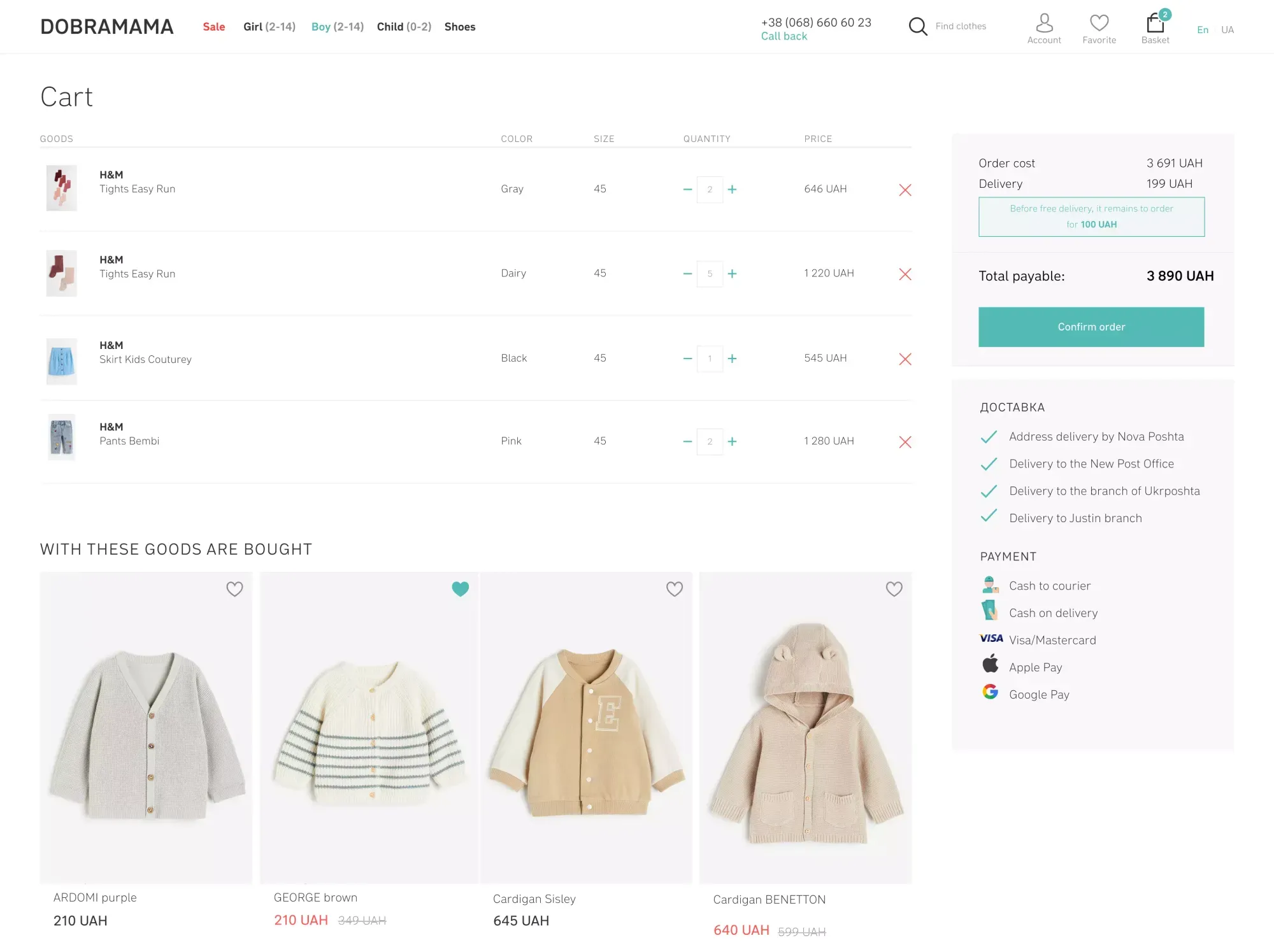
The shopping cart provides a clear overview of selected items with thumbnails, SKUs, chosen sizes, colors, and order totals. Below the item list, a cross-sell section recommends matching accessories and apparel to boost average order value.
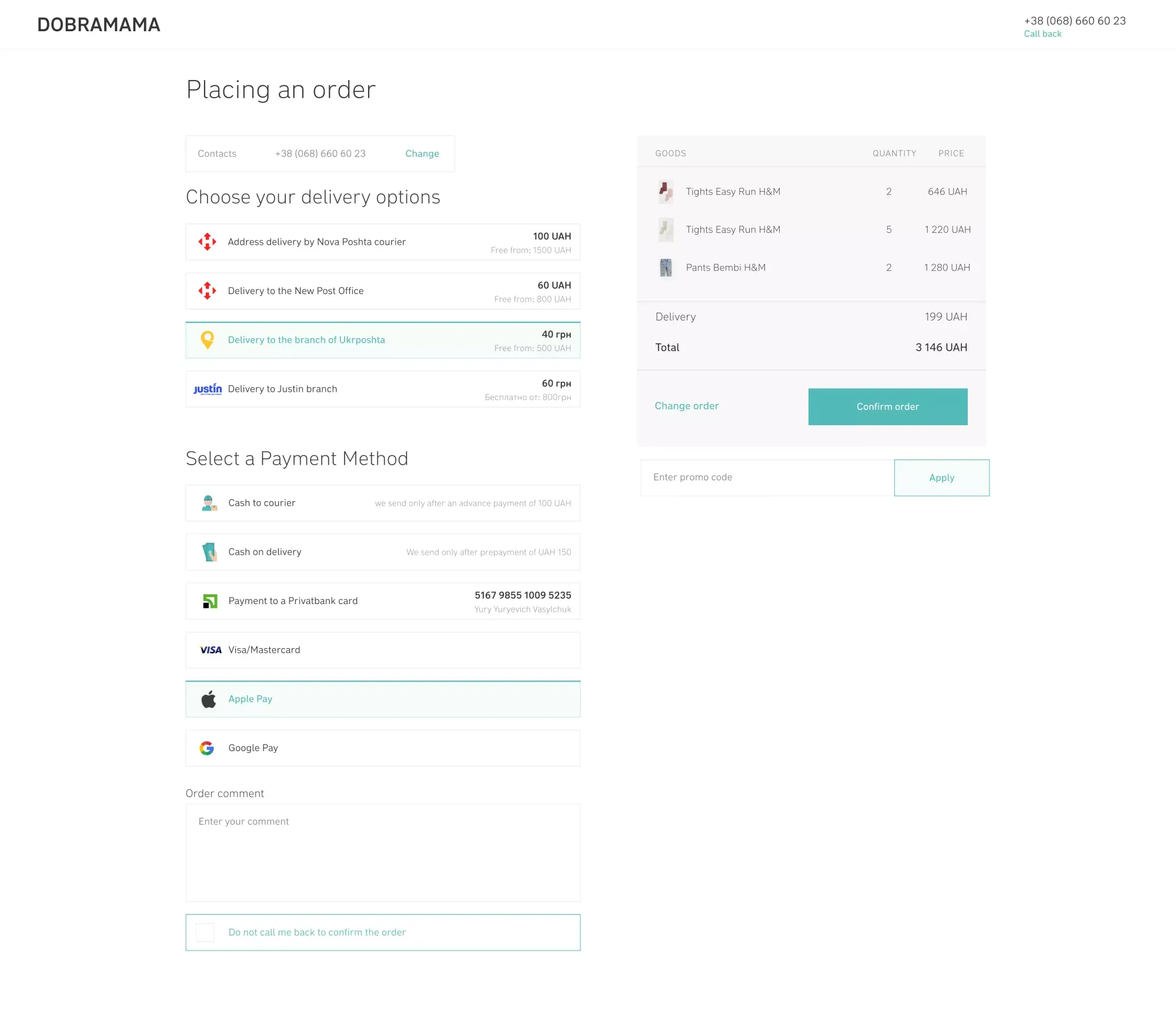
The checkout page is divided into logical steps: customer contact details, shipping, and payment options on the left, paired with a sticky order summary on the right. Clean visual hierarchy and a prominent confirmation button help minimize cart abandonment.
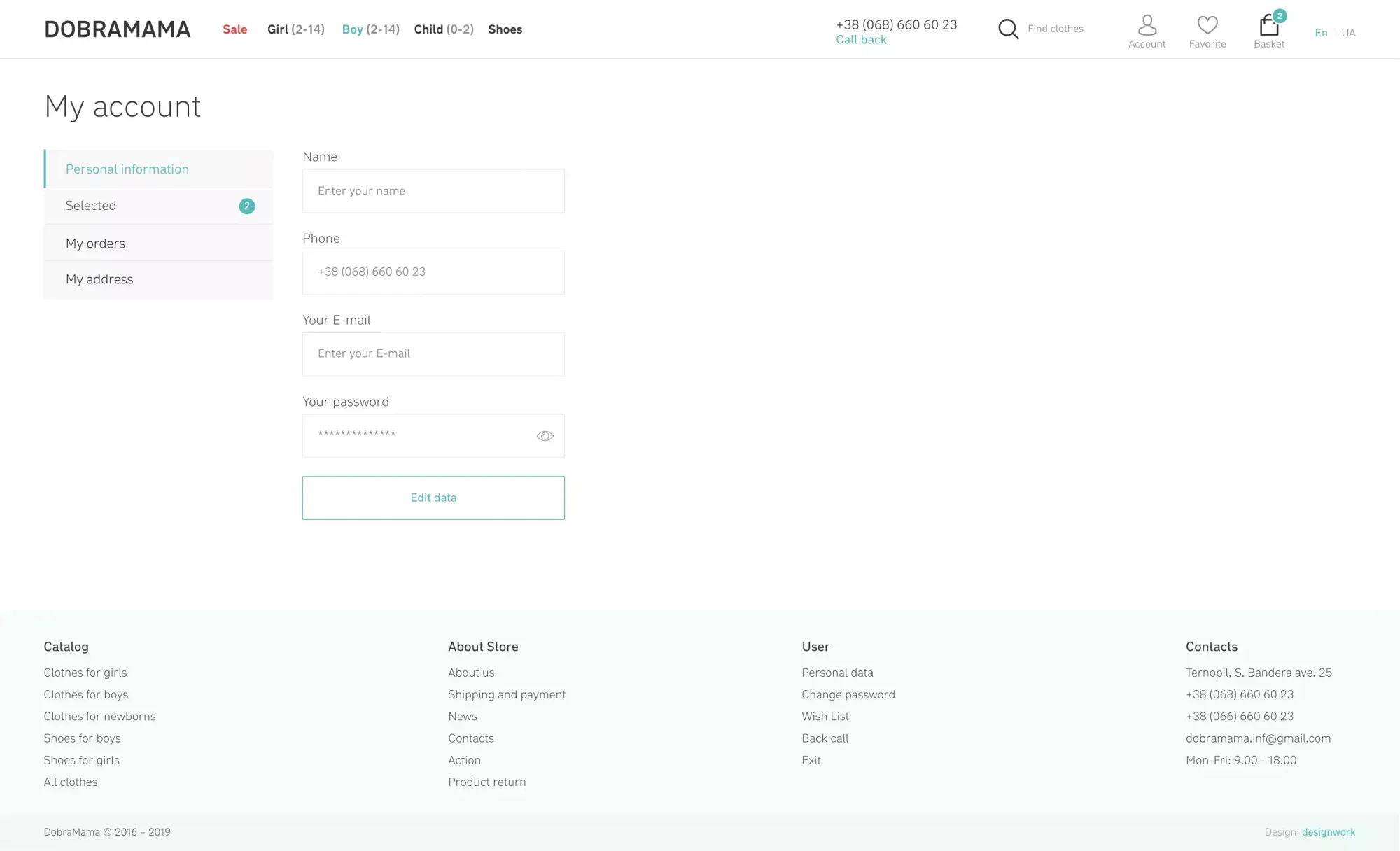
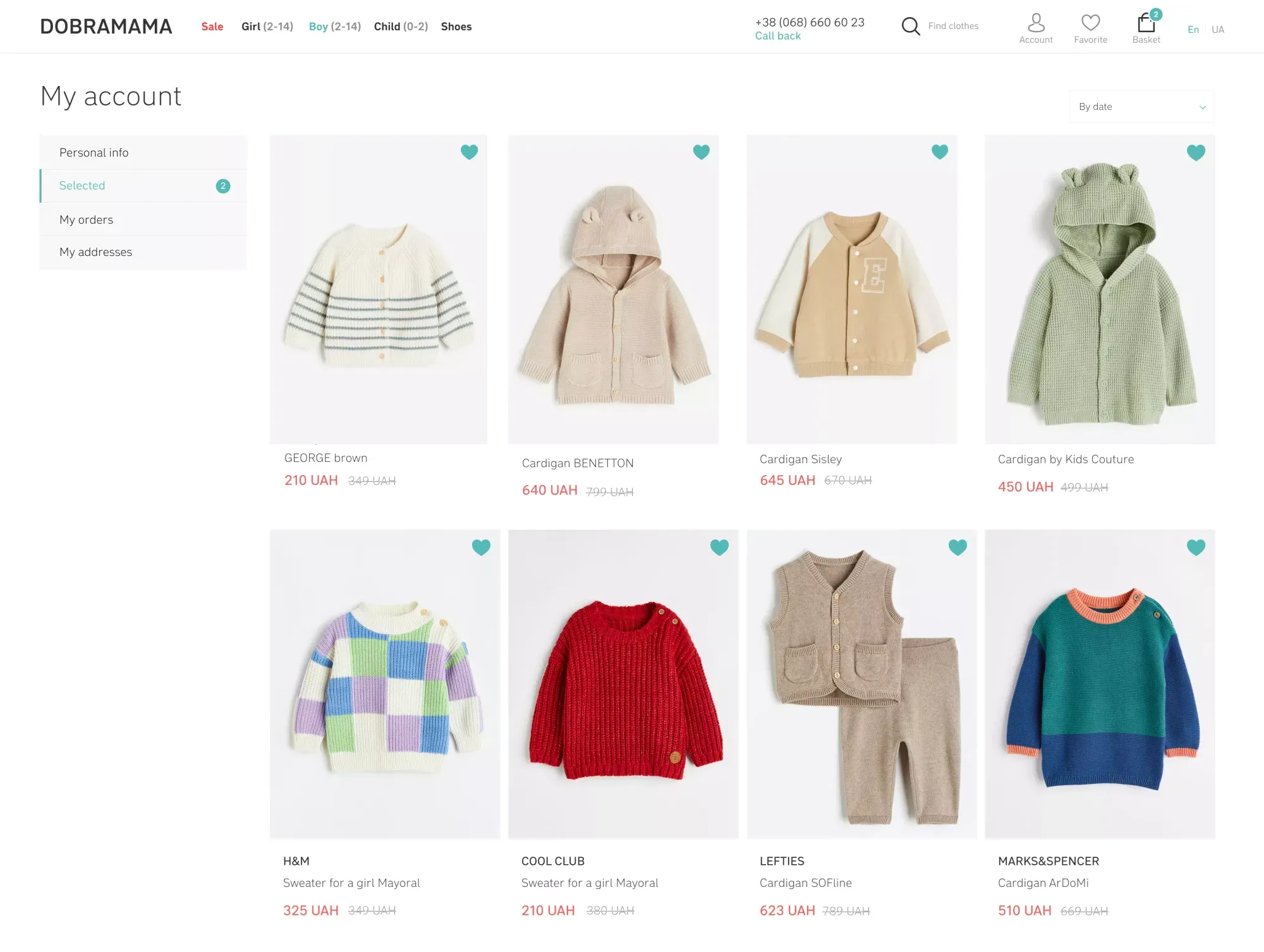
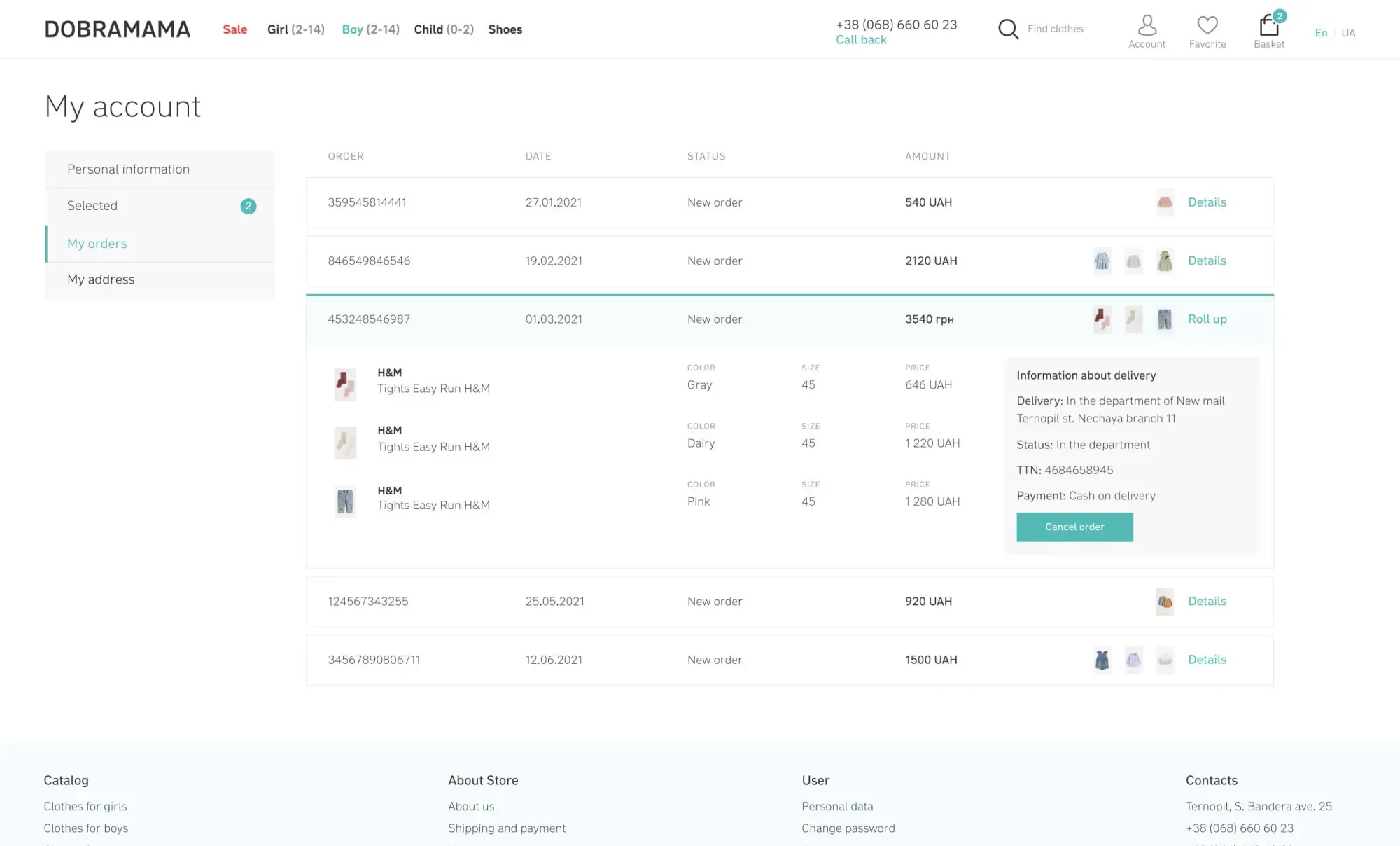
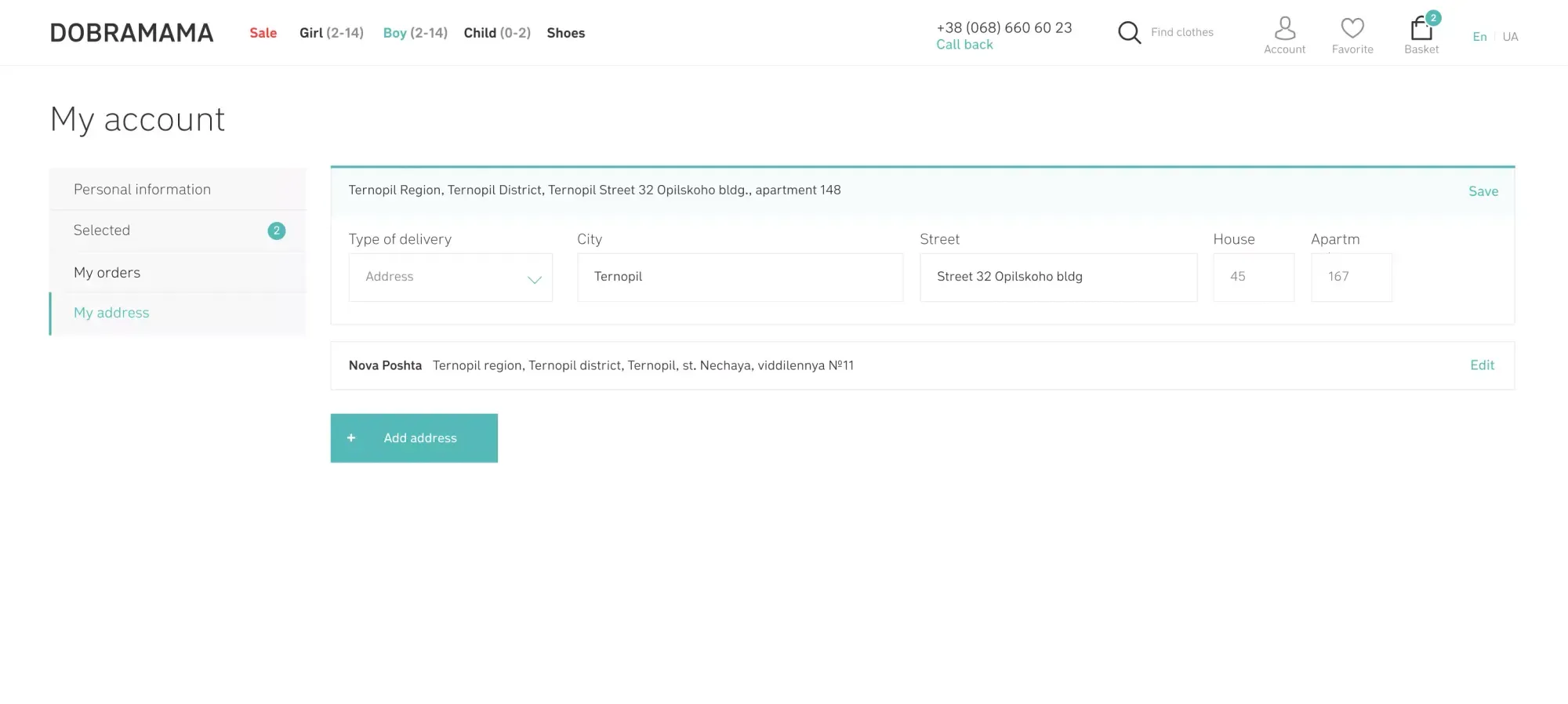
The customer account area lets returning shoppers save contact details and delivery addresses for faster repeat purchases. Dedicated tabs organize order history with live status tracking and a personal wishlist.
Personal info
Wishlist
My orders
Shipping address
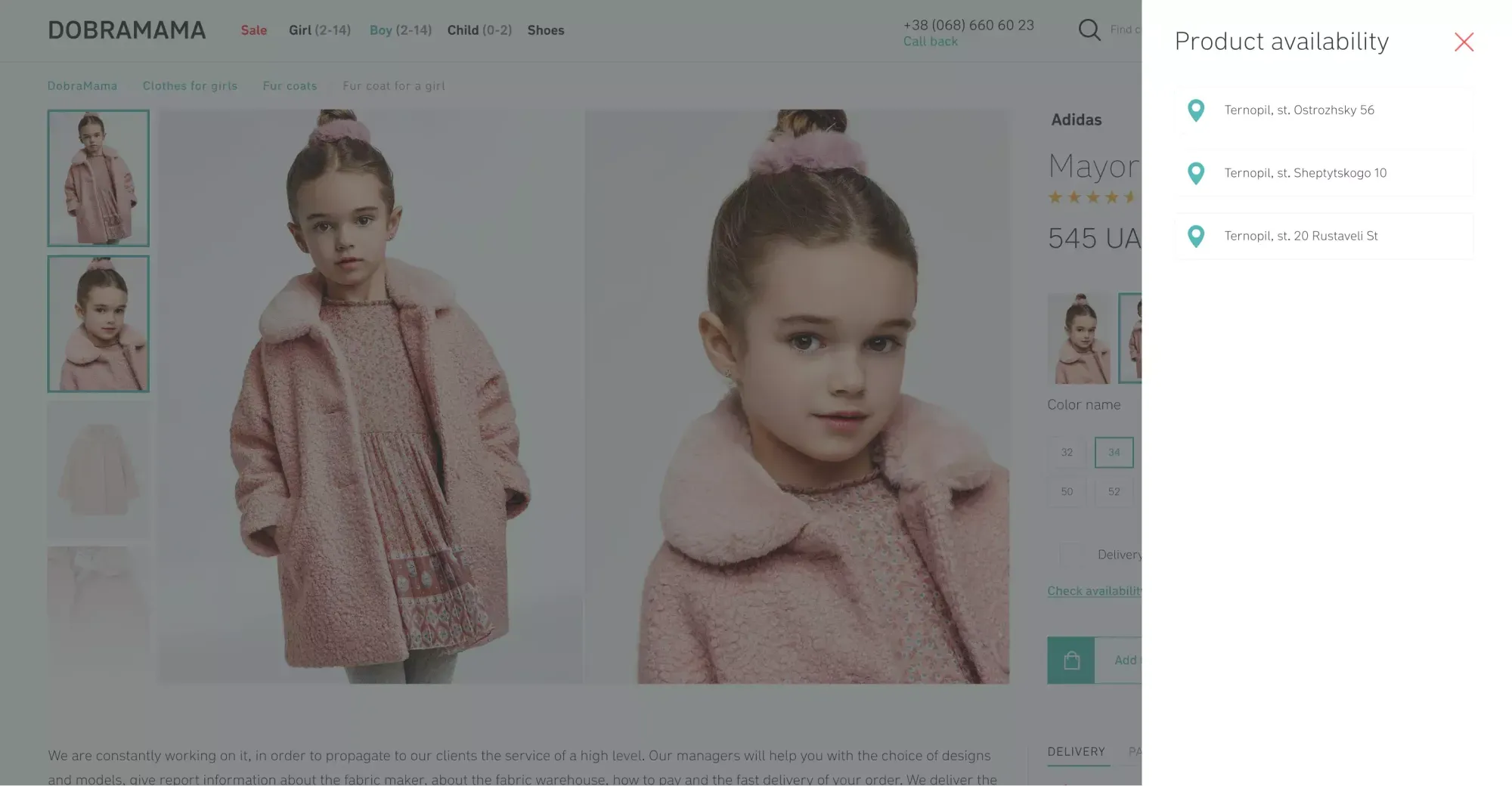
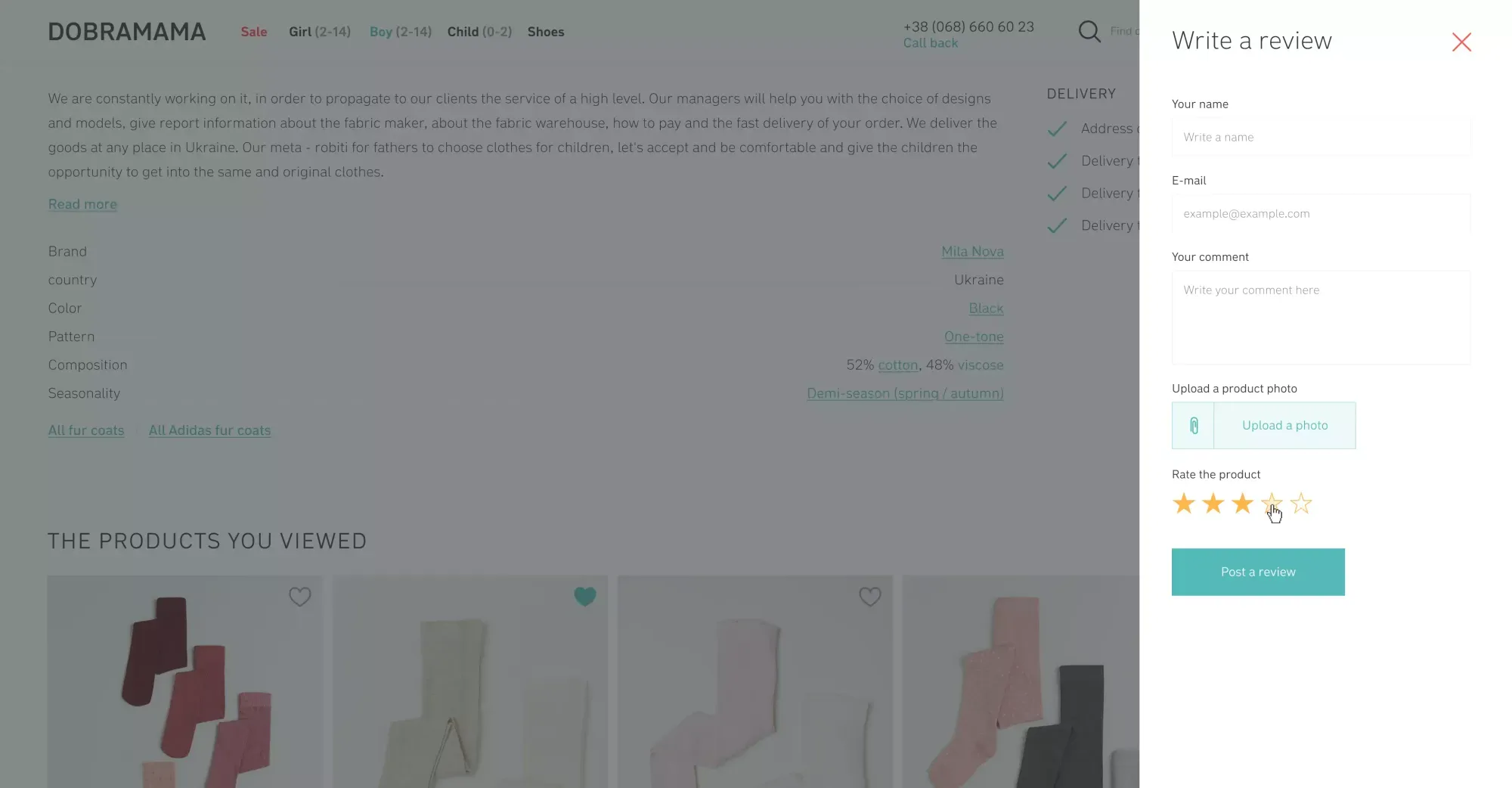
Because the brand operates physical retail locations, we added a slide-out drawer showing real-time item availability across store addresses. A second drawer lets customers submit product reviews with star ratings and uploaded photos.
Store availability
Write a review
All 15 store templates were adapted for mobile devices to support fast smartphone shopping. Catalog filters, size selectors, the cart, and customer account screens are optimized for touch navigation and quick checkout.