B2B SaaS & Dashboards
Why Developers Take Months Rebuilding Figma Mockups: Design Tokens & Closing the Dev-to-Design Gap
Why your SaaS team is paying twice for every feature: once in the design tool, and all over again in the React repository
Across most B2B software companies, shipping a new UI feature plays out like an expensive game of broken telephone costing $15,000–$30,000 a month in engineering burn. First, a product designer crafts static mockups where sample names always fit neatly on one line and tables display pristine numbers. Then comes the traditional handoff, and velocity grinds to a halt: frontend developers spend days guessing responsive constraints, hardcoding arbitrary CSS values (`margin-top: 13px`), and patching broken modals—only for Design QA to reject the build because fonts shift, tables overflow on 13-inch laptops, and dark mode breaks button contrast.
When CTOs and founders look to reduce frontend development rework and stop burning up to 40% of sprint capacity on visual regression fixes, the root cause is the structural chasm between a vector drawing canvas and the browser DOM. In this engineering guide, we show how to bridge gap between figma and react code, implement a scalable design tokens architecture for saas, adopt a modern design engineer workflow nextjs, and build resilient design systems in production code that double release velocity.
'It Looked Great in Figma, Why Is Production Broken?': The Root Cause of Design-to-Dev Friction
Conflict between product designers and frontend engineers rarely stems from a lack of individual skill. It happens because traditional designers think in static poster coordinates (absolute X/Y positioning inside a fixed 1440px artboard), whereas the browser operates on dynamic box-model constraints (CSS Flexbox/Grid, fluid viewports, asynchronous API streams, and stateful React component trees).
1. The Translation Tax & the Proliferation of Hardcoded 'Magic Numbers'
When mockups are drawn without strict programmatic binding to the codebase, every screen introduces dozens of micro-inconsistencies: one card uses `22px` padding while the next uses `24px`; one heading sets line-height at `132%` while another uses `28px`; nine nearly identical shades of gray (`#F8FAFC`, `#F9FAFB`, `#F4F5F7`) accumulate across files. Developers inspect the frame, copy those arbitrary values into code (Hardcoded Magic Numbers), and within six months the repository bloats into hundreds of conflicting utility overrides where updating a single brand color requires a multi-week refactor.
2. Variant Naming Mismatch & the TypeScript Prop Parity Gap
The second major bottleneck is vocabulary drift. If a mockup labels a button layer `Btn / Blue_Big / Hover_State` while the React component expects `<Button variant="primary" size="lg" isLoading={false} />`, engineers must mentally translate visual layers into TypeScript props on every ticket. Without strict 1:1 Component Prop Parity and Code Connect mapping, developers find it faster to write another one-off `<div className="...">` from scratch than to hunt through documentation.
3. Engineering Comparison: Legacy Static Handoff vs. Tokenized Code Pipeline
Below is the architectural comparison between traditional over-the-wall handoffs and the tokenized engineering pipeline we implement in our B2B SaaS UI/UX & High-Density Dashboards practice.
| Engineering Dimension | Legacy Static Mockup Handoff (High Friction) | Tokenized Design System in Code (W3C Tokens + React/Tailwind) | Financial & Velocity Impact |
|---|---|---|---|
| Style Source of Truth (Colors, Spacing, Radius) | Manual copy-pasting of HEX codes and pixel values from inspector panels | Single W3C JSON token pipeline (Style Dictionary → CSS Variables) | 0 hours wasted debating spacing or color shades |
| Component API Alignment (Figma ↔ React) | Arbitrary layer naming detached from the actual DOM tree | 1:1 variant parity with TypeScript component interfaces (`Props`) | 2.8x faster assembly of new product screens |
| Edge-Case State Coverage | Only the 'Happy Path' ideal screen is drawn | Mandatory 6-state matrix: Skeleton, Empty, Error, Overflow, Disabled | 74% reduction in UI bug tickets during QA cycles |
| Dark Mode / Global Rebranding Rollout | Manual recoloring across ratusan screens taking 4–6 weeks | Instant semantic variable swap (`--surface-bg`) in 1 day | Saves $8,000–$15,000 per theme or brand evolution |
| Sprint Capacity Lost to UI Rework | 32%–40% of frontend hours spent fixing layout regressions | Under 6% of hours (screens composed from pre-tested primitives) | Frees +130+ engineering hours/month for core product logic |
Design Tokens Over Hardcoding: A Single Source of Truth for Colors, Spacing & Radii
To permanently eliminate style drift between design files and production browsers, high-velocity SaaS teams replace static picture handoffs with a three-tier W3C Design Tokens architecture that compiles directly into CSS Custom Properties and Tailwind configuration.
1. The Three-Tier Token Hierarchy: Primitive → Semantic → Component
A production-grade token architecture never binds a UI component directly to a raw HEX code. Instead, it separates decisions into three programmatic layers:
Primitive (Core) Tokens: raw palette and scale constants, such as `blue-600: #2563EB`, `space-4: 16px`, `radius-md: 8px`.
Semantic (Alias) Tokens: context-aware roles that automatically adapt across Light and Dark modes: `--color-bg-surface`, `--color-text-primary`, `--color-border-subtle`, `--color-action-danger`.
Component-Specific Tokens: scoped variables inheriting from semantic tokens (`--button-primary-bg: var(--color-action-primary)`).
When these tokens compile via Style Dictionary into CSS variables consumed by Tailwind's `@theme` layer, frontend engineers cannot accidentally introduce off-brand grays—their IDE autocomplete surfaces only approved semantic utility classes.
2. Scaling a Unified Component System Across 3 Environments in simpl.cx
The true ROI of a tokenized system becomes unmistakable when a SaaS platform spans multiple distinct client applications that must look and behave identically.
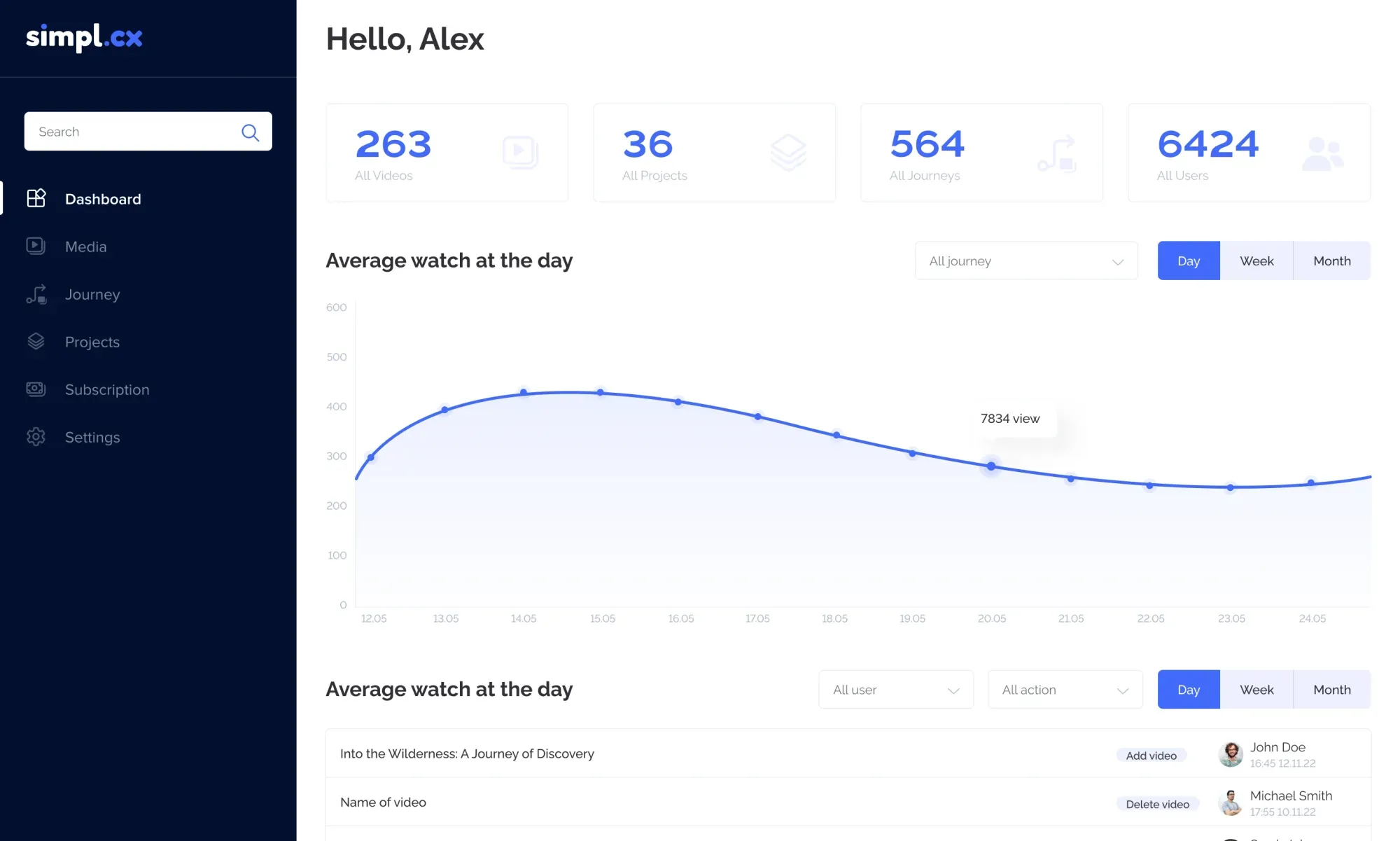
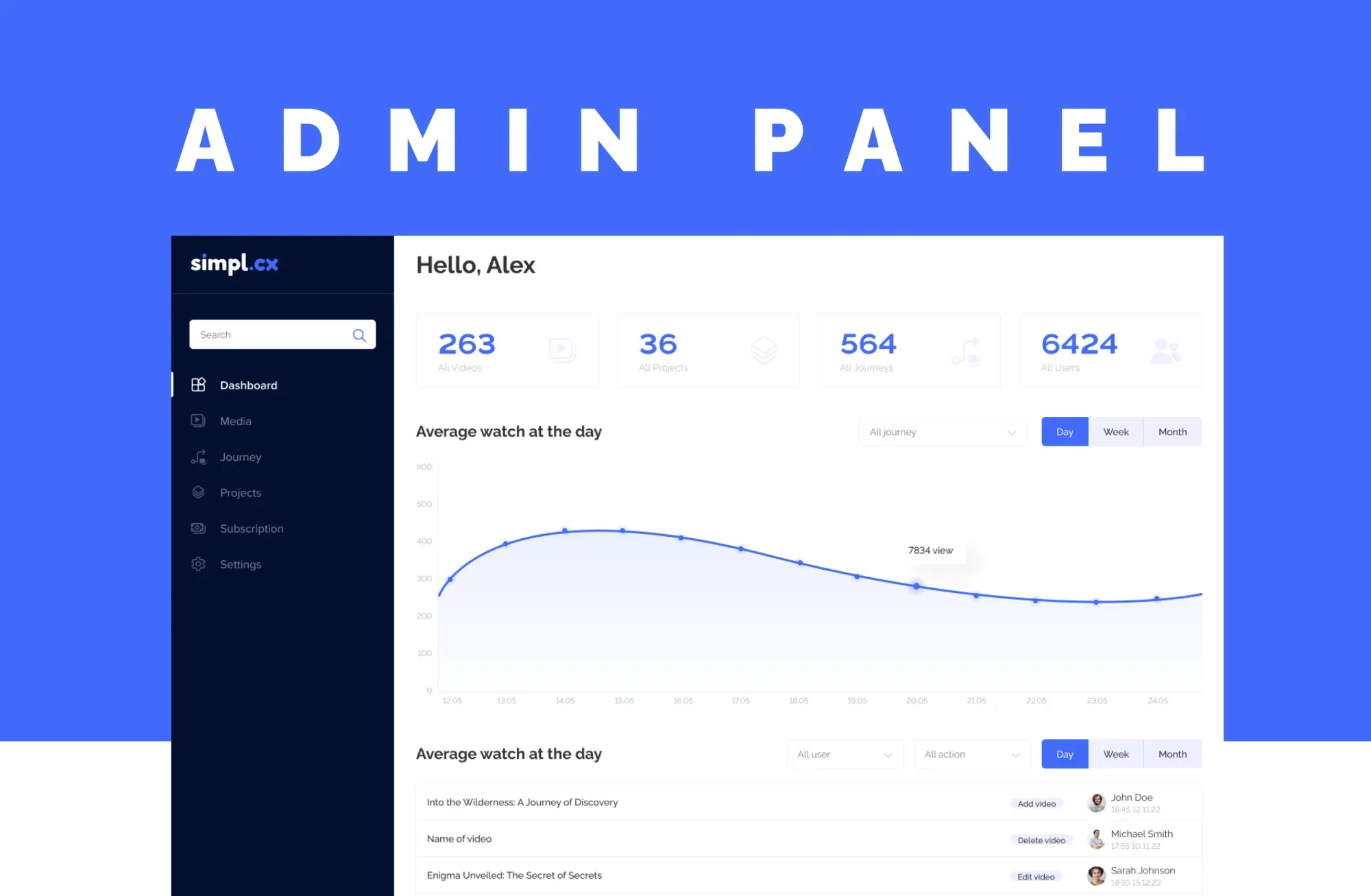
When architecting the interactive video onboarding SaaS platform simpl.cx, we had to guarantee strict visual and functional consistency across three separate environments: the learner-facing Customer Portal, the data-dense Admin Panel with its interactive Journey Builder, and the lightweight embeddable JS Widget injected onto third-party customer websites. By establishing an atomic library of shared UI primitives—standardized data tables, KPI cards, quiz checkpoint modals, progress indicators, and form controls—the engineering team reused the exact same component contracts across every surface without duplicating CSS:
Critical UI States Often Forgotten in Mockups: Skeleton, Loading, Error, Empty & Overflow
Why does a frontend developer stall for three days on an 'approved' screen? Because 90% of mockups illustrate only the Happy Path (Ideal State)—where data has already loaded, every table has exactly 6 rows, network latency is 0ms, and the user has full admin permissions. In production code, every dynamic view must handle 6 mandatory engineering states.
1. The 6-State Engineering Readiness Checklist Before Sprint Handoff
No screen should enter a development sprint without explicit visual and behavioral specs for:
First-Time Empty State: what a new user sees when the database table has 0 records, paired with a direct onboarding CTA.
Loading / Skeleton Shimmer: exact placeholder geometry during the 300–800ms API fetch window to guarantee zero layout shift (`CLS = 0.00`).
Text & Data Overflow: how tables and cards behave when an organization name is 95 characters long or revenue hits `$10,000,000.00` (`text-overflow: ellipsis`, min/max column widths, hover tooltips).
API Error / Timeout State: graceful fallback UI with a 'Retry' action when an external microservice fails.
Permission Denied / Plan Quota Locked State: clear contextual prompts when a user lacks role permissions or hits a billing tier limit.
2. Engineering Edge-Case & Integration Error States in the Xamsor SEO Platform
When a designer forgets to specify integration error states, developers fall back to generic browser alerts or blank white screens—causing new users to assume the product is broken and churn.
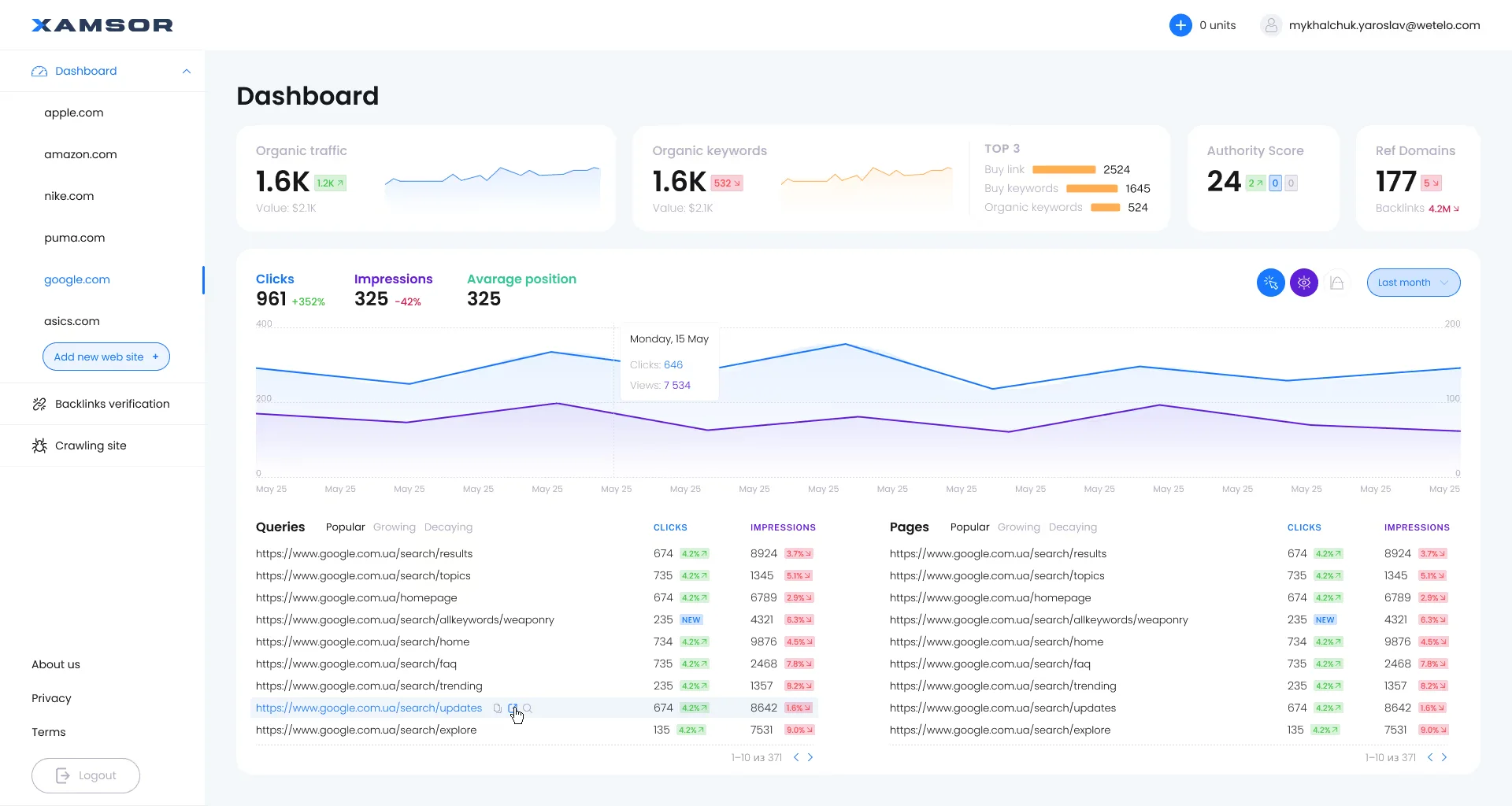
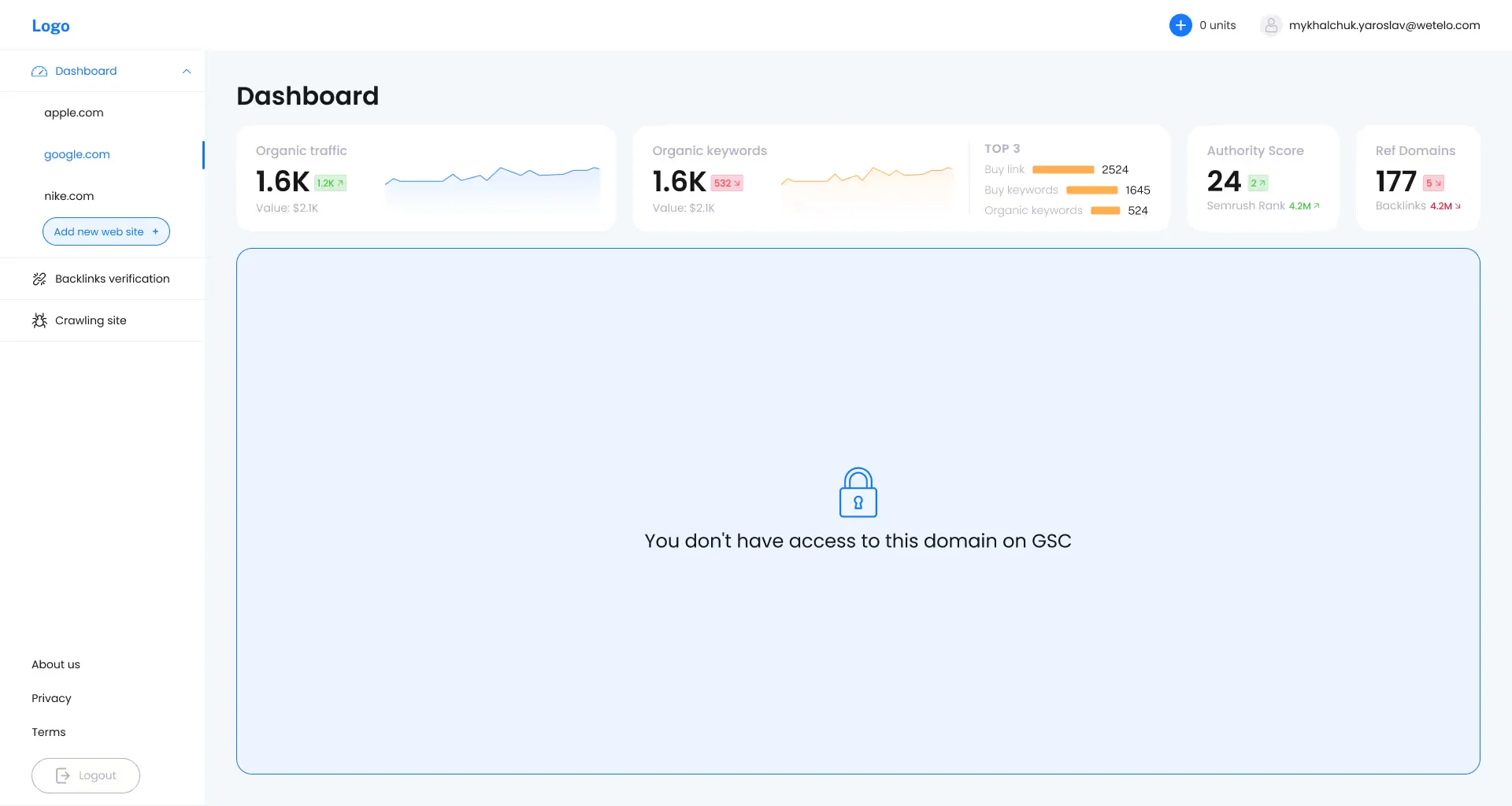
During the UX/UI engineering of the SEO analytics SaaS platform Xamsor, which relies on live two-way synchronization with Google Search Console (GSC), we dedicated an entire design track to edge-case and system states. Alongside the high-density main dashboard, we designed the first-time property onboarding flow (`Add new web site +`), initial GSC sync triggers (`Start synchronize`), and a dedicated permission-error screen (`You don't have access to this domain on GSC`)—where the top 4 SEO metric cards (`Organic traffic 1.6K`, `Organic keywords 1.6K`, `Authority Score 24`, `Ref Domains 177`) and domain sidebar remain fully operational while the lower container isolates the padlock state without crashing the workspace:
The Design Engineer Role: Why One Hybrid Architect Saves the Payroll of Two Mid-Level Staff
In 2026, top-performing US and European SaaS teams are replacing the slow relay race of 'UX Researcher → UI Designer → HTML Coder → React Developer' with a Design Engineer—a systems architect fluent in both UX design and production frontend code (Next.js App Router, React 19, TypeScript, Tailwind CSS).
How Much Engineering Payroll SaaS Teams Burn on Manual UI Rework vs. Shipping a Tokenized React Component Library
- Developer Hours Spent Guessing Styles & Fixing UI Bugs: 35% of sprint capacity (168 engineering hours lost every month)
- Direct Monthly Payroll Burn (The Rework Tax): $6,300/mo paid just to patch inconsistent padding and regressions
- Average Cycle Time to Ship a New Product Feature: 14–18 business days (rebuilding views from scratch)
- Visual Regression Tickets Logged per Release: 15–25 Jira bug tickets every sprint
- Annual Engineering Budget Lost to Rework: −$75,600 burned with zero net-new product value
- Developer Hours Spent on Styling & Layout Fixes: Under 6% (new screens assemble like Lego from tested React primitives)
- Engineering Capacity Reclaimed for Core Business Logic: +139 hours/mo (equivalent to adding a full-time Senior Dev for free)
- Average Cycle Time to Ship a New Product Feature: 5–7 business days (2.4x faster Time-to-Market)
- Visual Regression Tickets in Production: Near zero (all 6 states enforced at the component level)
- Annual Engineering Payroll Saved: +$62,640/yr redirected to revenue-generating product features
Instead of spending $72,000/yr to hire a fourth frontend developer just to keep up with UI bug tickets, a one-time $9,500 investment in a tokenized React design system reclaims 139 hours per month from your existing team.
1. Why a Design Engineer Eliminates the Translation Chasm
When a Design Engineer architects your interface, every wireframe decision is made with full awareness of Next.js Server Components, CSS variable inheritance, keyboard accessibility (`:focus-visible`), and DOM rendering performance. Instead of handing off static artwork that developers spend months trying to recreate, we deliver a unified system where design primitives map 1:1 to production TypeScript components.
2. Dark Neon Aesthetics & Component System Standardization in PulsarAds
Engineering-first style architecture is especially critical in products featuring complex Dark UI themes, semi-transparent glassmorphic surfaces, and multi-step onboarding wizards.
During the comprehensive desktop redesign of the international affiliate network PulsarAds, we replaced a dated flat website with a high-contrast dark theme powered by glowing neon accents—featuring an above-the-fold hero viewport (`Enjoy the Ease of Traffic Generation With Pulsar Ads Opportunities!`, `2000+ Offers`, `$60 000 000+ Earning partners`) with glassmorphic partner payout cards (`$57,892`, `$65,123`, `$29,450`) and the `Why choose us` feature grid, alongside a 4-step registration wizard on inner pages. By standardizing the layout grid, typographic hierarchy, and dark surface variables, the complex aesthetic translated into production code with zero contrast regressions:

Step-by-Step Roadmap: Refactoring Your Component Library Without Halting Product Releases
Even if your SaaS platform has accumulated three years of CSS technical debt, you never need to freeze feature roadmap delivery for six months to 'rewrite the frontend'. Transitioning to design systems in production code follows a 4-week iterative Strangler Fig protocol.
Steps 1–2. UI Audit & Semantic Token Core Lockdown (Week 1)
We scan your existing CSS/Tailwind repository and collapse 80 ad-hoc color hexes and 25 font sizes into a strict mathematical matrix: 12 semantic color tokens, an 8-step spacing scale (`4px`/`8px` grid), and 6 typographic tokens. This single JSON source compiles directly into both Figma Variables and your `tailwind.config.ts` / `@theme` stylesheet.
Steps 3–4. Building the 12 Core Primitives & Incremental Migration (Weeks 2–4)
Rather than refactoring 150 legacy screens at once, we engineer 12 isolated, bulletproof React primitives: `Button`, `Input`, `Select`, `Modal`, `Drawer`, `DataTable`, `Badge`, `Toast`, `Tabs`, `Tooltip`, `Card`, and `Skeleton`—complete with all 6 edge-case states (`Loading`, `Error`, `Empty`, `Overflow`). Every new feature ships 100% on the new library from Day 1, while legacy screens migrate progressively during routine sprints.
To find out in 2 minutes whether your product needs a targeted token cleanup or a full UI architectural overhaul, run your platform through our interactive Redesign vs. Surgical Tweak Diagnostic Tool.
Key Takeaways
Are your React developers spending weeks rebuilding simple screens and fighting CSS regressions?
Traditional static mockup handoffs without design tokens force SaaS companies to burn 35%–40% of frontend engineering payroll on visual rework and CSS regressions.
A three-tier W3C Design Tokens pipeline (Primitive → Semantic → Component) wired into React and Tailwind CSS establishes an automated single source of truth.
Specifying all 6 mandatory engineering states (Empty, Skeleton, Loading, Error, Overflow, Permission Denied) before sprint kickoff reduces QA UI bug tickets by 74%.
Partnering with a Design Engineer to build a production component library pays for itself in under 2 months, freeing 130+ engineering hours every month.