B2B SaaS & Dashboards
Slashing B2B SaaS Churn by 30–45%: Fixing Critical UX Mistakes in First-Week Trial Onboarding
Why 72% of B2B SaaS acquisition spend burns up in the first 48 hours of trial
Most B2B SaaS founders blame stagnant MRR on marketing channels or rising Google Ads and LinkedIn CPLs. Yet when you spend $180–$420 to acquire a qualified trial signup (CAC) and 75–82% of those users close the browser tab within 48 hours never to return, your primary financial leak is not top-of-funnel traffic—it is first-session interface architecture. According to 2025–2026 ChartMogul and SaaS Capital benchmarks, median opt-in free trial conversion sits at just 8.9%, whereas products engineered around low-friction onboarding consistently hit 22–28%. Learning how to reduce b2b saas churn through ux starts inside the first five minutes of product interaction, long before automated win-back emails ever fire.
Whenever we conduct a comprehensive saas onboarding drop off audit, 9 out of 10 platforms exhibit the exact same pathology: a powerful backend built over two years dumps 45 sidebar links, blank zero-state tables, and mandatory API setup steps onto a brand-new user before delivering a single piece of business value. In this engineering guide, we break down how a specialized saas product redesign agency eliminates early onboarding drop-off, compresses Time-to-Value (TTV) from 40 minutes to 90 seconds, and doubles saas trial to paid conversion ux performance within a $5,000–$18,000 budget.
Where Subscriptions Actually Die: Auditing Leak Points Between Signup and the First Aha-Moment
In B2B software, the decision to abandon a trial rarely happens on Day 14. Behavioral cohort telemetry confirms the 72-Hour Rule: if a new user does not achieve a measurable business outcome (their first Aha-moment) within 72 hours of signup, their probability of churning exceeds 90%. Below are the four structural bottlenecks that depress cross-industry SaaS Activation Rates down to 30–37.5%.
1. The Pre-Value Bureaucratic Wall
The fastest way to kill buyer momentum after clicking "Start Free Trial" is forcing prospects through a 9-field qualification form (company size, job role, phone number with SMS OTP), sending them to hunt for a confirmation email buried in Gmail's Promotions tab, and then locking the app behind a mandatory 6-step workspace setup wizard. Every extra form field and context switch between browser and inbox slices 12% to 18% of signups before the dashboard even renders.
2. Database-Driven Navigation vs. Jobs-to-be-Done (JTBD) Flows
When backend engineers design navigation without a UX architect, the left sidebar mirrors PostgreSQL database tables: "Entities", "Dictionaries", "Rules", "Templates", "Webhooks", "Logs". A trial user does not log in to populate database dictionaries—they log in to complete a specific Job-to-be-Done (e.g., audit domain rankings, launch an onboarding flow, or reconcile an invoice). If the eye cannot locate a single dominant primary action within 30 seconds, cognitive paralysis sets in.
3. First-Week Activation Funnel Comparison: Raw SaaS UI vs. Engineered Onboarding
To quantify how interface friction impacts unit economics, compare the 1,000-signup funnel of a typical engineer-built SaaS against an onboarding-optimized architecture. You can review our full product engineering methodology inside the B2B SaaS UI/UX & High-Density Dashboards hub.
| First-Week Funnel Stage (per 1,000 Signups) | Typical Unoptimized B2B SaaS | SaaS After Onboarding UX Redesign | Engineering Mechanism Applied |
|---|---|---|---|
| Stage 1: Signup Completion & First Login | 680 users (−32% lost to email/form friction) | 940 users (−6% drop-off) | 1-click Google/Microsoft SSO & deferred email verification |
| Stage 2: First 60 Seconds on Dashboard | 410 users (−40% bounce on blank screens) | 860 users (−8.5% drop-off) | Pre-populated interactive sample data (Sandbox Mode) |
| Stage 3: Data Connection / Setup | 190 users (−54% stall on manual config) | 580 users (−32% drop-off) | Automated URL/API fetch + Progressive Disclosure forms |
| Stage 4: Reaching First Value (Activation) | 140 users (14% Activation Rate) | 420 users (42% Activation Rate) | Compressing Time-to-Value from 40 mins to 90 seconds |
| Stage 5: Trial-to-Paid Conversion | 85 paying accounts (8.5% CR) | 215 paying accounts (21.5% CR — 2.5x lift) | Contextual value-recap paywall & 1-click upgrade |
The Empty State Problem: Why Users Panic When Facing a Blank Dashboard
Consider the jarring psychological contrast your trial user experiences: on your marketing landing page, they saw rich dashboards filled with upward revenue curves, green ROI badges, and populated tables. They click "Try for Free", log in, and hit a sterile white screen reading "No data found. Create your first project". Known as Blank-Screen Anxiety, this empty state signals that before receiving any promised value, the user must perform three hours of unpaid data entry.
1. Three Engineering Patterns that Turn Empty States into Activation Engines
No B2B SaaS screen should ever look dead during a first session. We replace static "No records found" placeholders with a three-tier activation architecture:
Pre-Populated Interactive Sandbox: New users land on a live, clickable dashboard populated with realistic industry sample data, paired with a sticky top banner: "Viewing Demo Workspace → Connect Your Live Data in 60 Seconds". Executives can immediately test filters, inspect report depth, and experience the product's power with zero manual input.
Single-Action Launchpad: When an initial connection is strictly required (such as a domain URL or API key), we hide the 12 empty chart containers and present a focused single-input launchpad with 1-click OAuth integration.
Human-Readable Edge-Case Recovery: If a user connects an account that lacks domain permissions, the UI never throws a raw `Error 403`; instead, it renders an actionable recovery screen explaining how to switch accounts or invite the workspace admin.
2. Case Study — Xamsor: Replacing Blank Charts & Sync Errors with Guided Activation
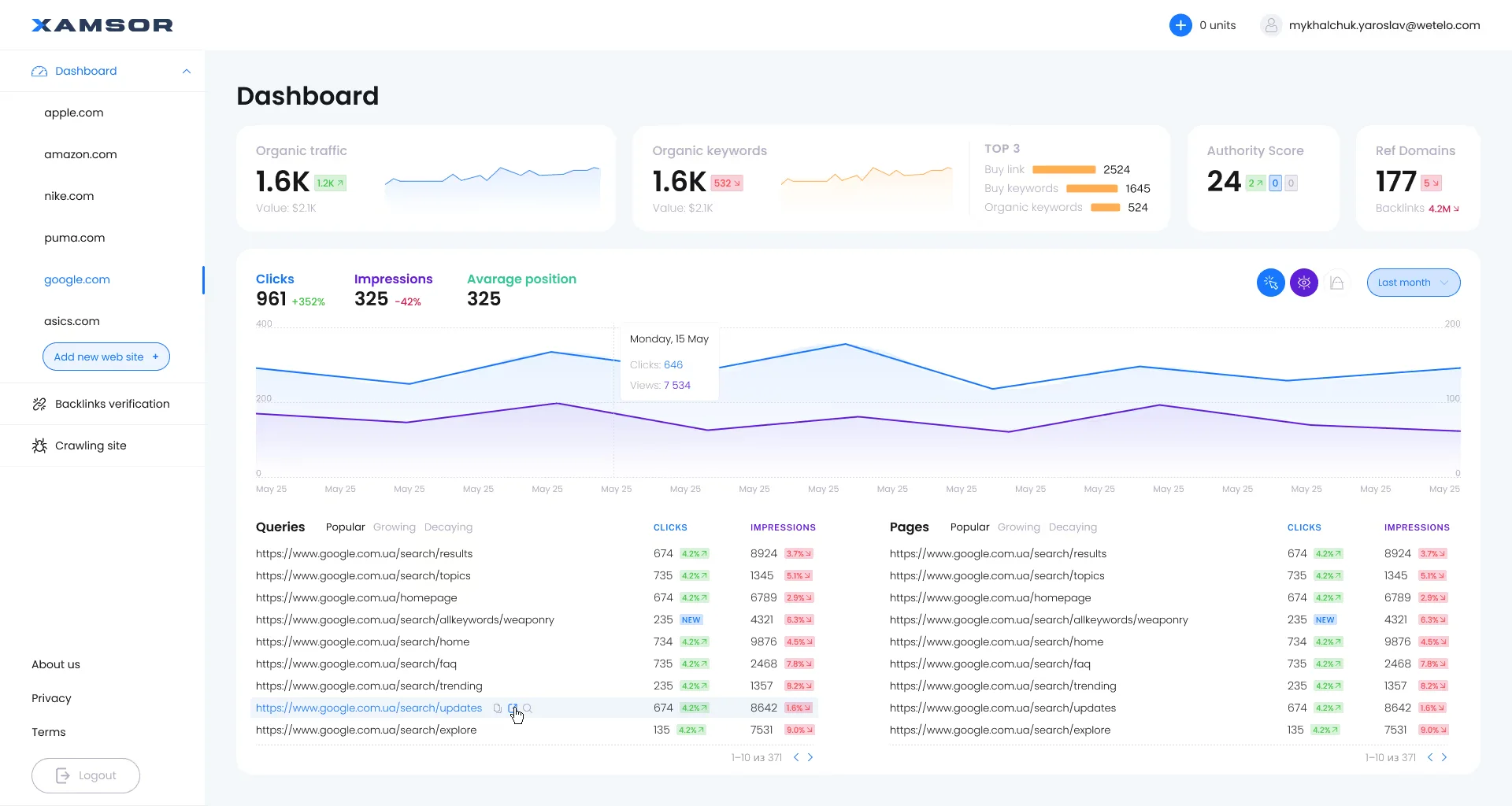
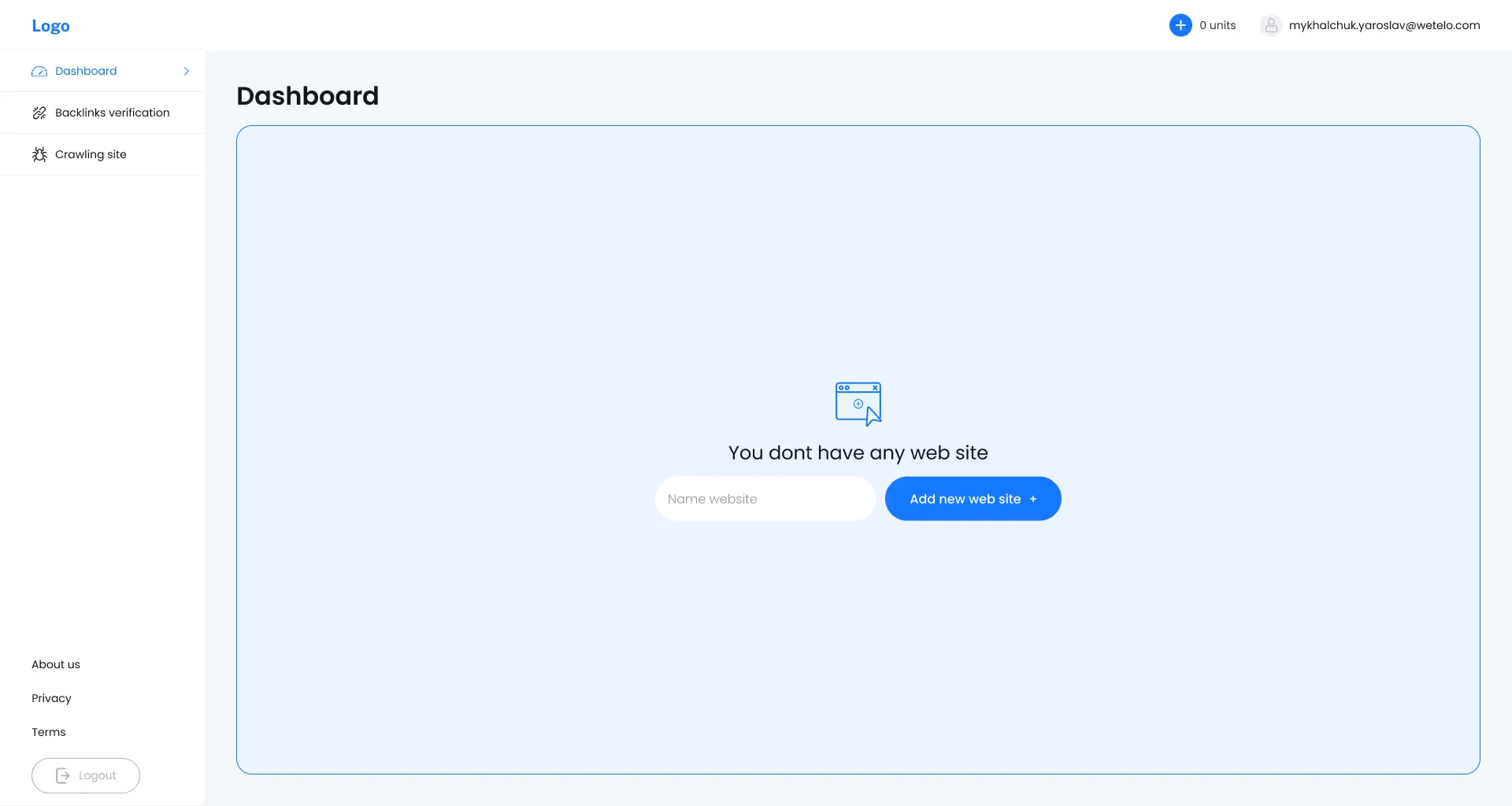
We engineered this exact system of empty and edge-case states for the SEO analytics SaaS platform Xamsor. In SEO tools, the biggest onboarding drop-off happens when a user signs up without Google Search Console ready, or connects a Google account that lacks verified domain ownership. Instead of dumping users onto empty traffic graphs, we designed a dedicated first-website launchpad, an explicit permission-mismatch recovery screen for GSC, and a live synchronization state:
Progressive Disclosure: How to Avoid Dumping 50 Settings on Users in Their First 5 Minutes
Every mature B2B SaaS platform faces a structural tension between two user personas: the Day-1 Trial User, who wants to complete a core task in 3 clicks, and the Enterprise Power User, who demands 40 granular configuration toggles, regex filters, and custom webhooks. Displaying all 40 controls by default overwhelms newcomers and drives immediate abandonment. The architectural solution for sustainable b2b software churn rate reduction is Progressive Disclosure.
1. Dual-Layer Form Architecture: Quick Mode vs. Extended Mode
Hick's Law proves that decision time increases logarithmically with the number of visible controls. When redesigning complex B2B workflows, we split creation screens into two progressive layers:
Primary Layer (Default 80% Workflow): Displays only the 3–4 essential inputs backed by intelligent Smart Defaults, allowing a new user to launch their first task in under 15 seconds.
Expert Layer (On-Demand 20% Power Controls): Advanced parameters, formatting rules, and custom overrides sit behind a clean mode toggle or slide-over drawer.
We implemented this exact dual-mode pattern in Academic Papers on the order specification step (`Paper instructions`). Session recordings revealed that new users were stalling when confronted with dozens of academic specification fields upfront. We introduced an instant top-level toggle between a streamlined `Quick Order Form` (subject, topic, and assignment instructions) and an `Extended Order Form` (drag-and-drop file uploads up to 50 MB, citation styles APA/MLA/Chicago/Harvard/OSCOLA, add-on services, and writer tier selectors), paired with a persistent right-hand `Summary` sidebar recalculating the price (`Total $114`) in real time:

2. Persistent Embedded Checklists vs. 12-Step Tooltip Product Tours
Traditional modal tooltip tours that dim the screen and force users through 10 sequential pop-ups ("Click here → Now click here → Here are your settings") suffer from 67–82% abandonment: users reflexively mash "Skip / Next" just to regain control of the screen, forgetting everything two minutes later. Instead of intrusive tooltip walls, we embed a compact 4-step progress widget in the corner of the workspace where Step 1 ("Workspace Created") is already checked off—leveraging the Endowed Progress Effect to pull users toward their first Aha-moment.
Time-to-Value (TTV): Compressing the Path to First Value from 40 Minutes to 90 Seconds
Time-to-Value (TTV) measures the exact elapsed time from signup completion to the moment a user experiences the core outcome they came for. Industry retention studies show that B2B SaaS users who reach first value within their first session retain at 80%+ at Month 12, whereas users whose TTV stretches past several days plummet to 35–50% annual retention.
1. Replacing External Documentation with Interactive In-App Micro-Journeys
When a trial user hits a complex workflow, the last thing they want to do is open a separate Zendesk or Notion tab and read a 3,000-word manual. Modern Product-Led Growth (PLG) architecture embeds interactive guidance and human escalation directly inside the active viewport.
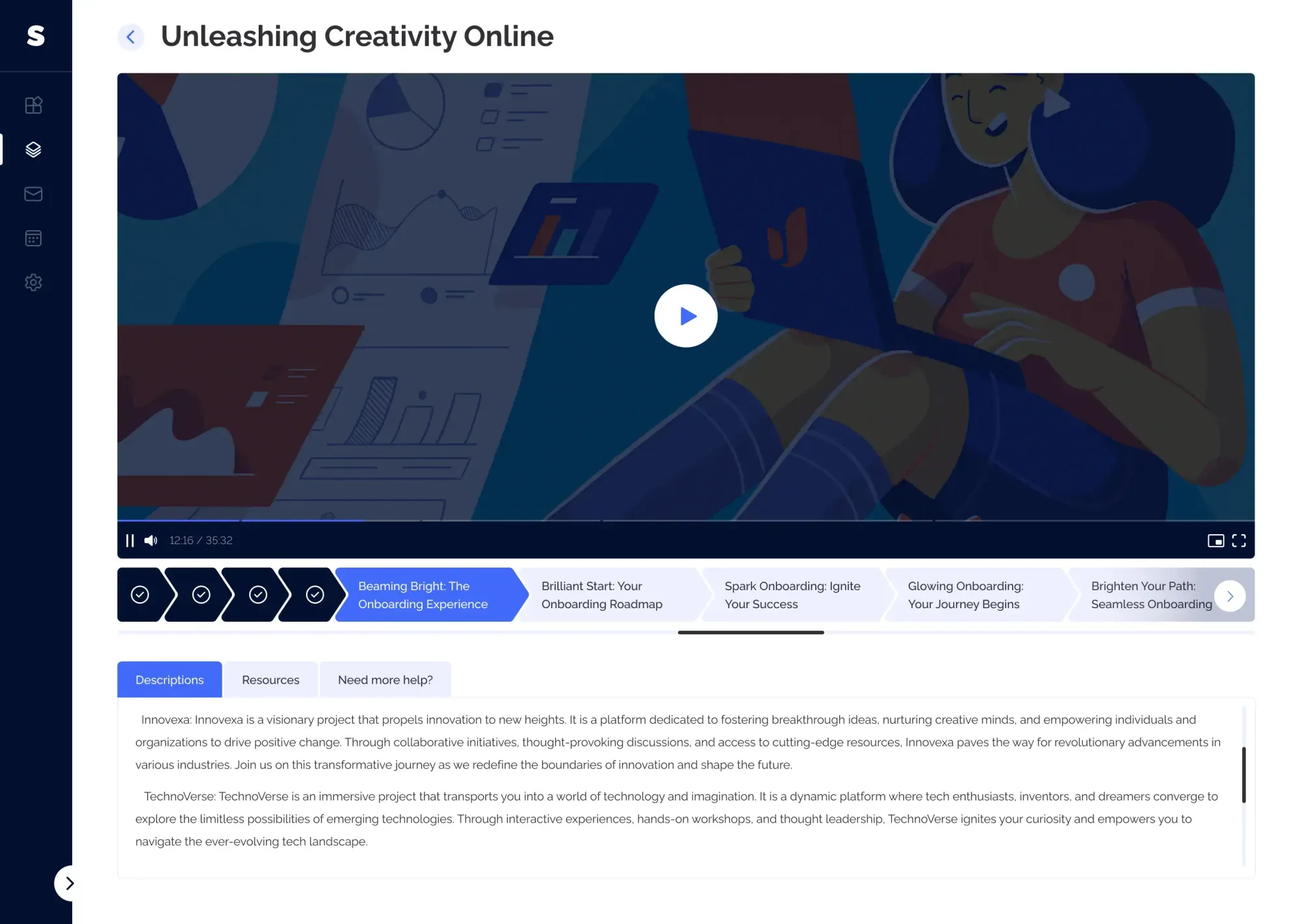
We architected a complete ecosystem around this principle for the interactive video onboarding SaaS platform simpl.cx. We designed three synchronized product layers: a customer portal featuring circular progress indicators across assigned onboarding tracks (Journeys), a step-by-step admin Journey Builder, and a lightweight embeddable JS widget that layers over any client web application. Inside the interactive Journey Player, users watch concise step-by-step video modules, download attached templates (Resources), complete comprehension Checkpoints, and—if stuck—trigger a help request or book a 15-minute specialist call directly inside the player without leaving their workflow:
2. Asynchronous Setup & 1-Click Developer Handoff
If your SaaS requires installing a tracking snippet, configuring DNS records, or waiting for a large data import, never trap the founder on a blocking setup screen. Provide a 1-click "Email Setup Instructions to My Developer" button right inside the onboarding step, and immediately route the founder into an interactive sandbox so they can configure reports and experience product value while technical setup happens asynchronously.
Real Financial Impact: How Systematic UX Redesign Restores CAC Payback
Redesigning a B2B SaaS interface is not a cosmetic exercise—it is a high-leverage financial intervention that multiplies MRR and Lifetime Value (LTV) on your existing ad spend. Lifting Trial-to-Paid conversion from 8.5% to 18.5% while cutting early monthly churn from 7.5% to 4.2% transforms your entire acquisition unit economics.
Onboarding & Core Workflow UX Redesign Impact (400 Trial Signups/mo at $150 ARPU)
- First-Week Activation Rate (Aha-Moment): 16% (336 of 400 signups abandon within 48 hrs)
- Trial-to-Paid Conversion Rate: 8.5% (34 new paying accounts per month)
- Effective Customer Acquisition Cost (CAC): $470.58 ($16,000 spend / 34 customers)
- Monthly New MRR Added: $5,100/mo
- Customer LTV (at 7.5% monthly churn): $2,000 (LTV/CAC ratio = 4.2x)
- First-Week Activation Rate (Aha-Moment): 41% (driven by sandbox data & 90-sec TTV)
- Trial-to-Paid Conversion Rate: 18.5% (74 new paying accounts on same traffic)
- Effective Customer Acquisition Cost (CAC): $216.21 (−54% CAC reduction without extra ads)
- Monthly New MRR Added: $11,100/mo (+$6,000/mo net new MRR lift)
- Customer LTV (at 4.2% monthly churn): $3,570 (LTV/CAC ratio = 16.5x)
A $9,500 investment in a surgical SaaS UX audit and onboarding redesign pays for itself in 48 days purely from Month-1 conversion gains—cutting paid CAC in half without spending an extra dollar on ads.
1. Surgical Onboarding Sprint (UX Tweak) vs. Full Platform Redesign
Not every SaaS company needs an $18,000 ground-up frontend rebuild. If your core product retains long-term customers well but bleeds trial signups in the first 72 hours, we execute a focused 3-week Onboarding & Activation Sprint ($4,500–$6,500): streamlining auth, engineering interactive Empty States, adding progressive disclosure forms, and redesigning the upgrade paywall.
Conversely, if your product carries 3–5 years of accumulated UI debt where new features were bolted onto legacy menus and frontend velocity has stalled, a full design-system architecture with tokenized React components is the higher-ROI path.
2. Run a 2-Minute Diagnostic on Your SaaS Interface
To determine whether your platform needs a targeted 3-week onboarding sprint or a full design-system overhaul, run your product metrics through our interactive SaaS Redesign vs. Surgical Tweak Diagnostic Tool for an immediate engineering breakdown.
Key Takeaways
Ready to turn abandoned free trials into predictable MRR growth?
Up to 80% of early B2B SaaS churn is locked in during the first 48–72 hours when trial users fail to cross the first Time-to-Value (TTV) threshold.
Replacing dead Empty States with pre-populated interactive sandbox data and focused 1-action launchpads rescues up to 40% of signups who otherwise bounce in the first minute.
Progressive disclosure (Quick vs. Extended Mode) lets Day-1 trial users succeed in 3 clicks while preserving deep configuration power for enterprise admins.
Doubling Trial-to-Paid conversion from 8.5% to 18.5% cuts effective paid CAC by 54% and pays back a $9,500 UX redesign in under 7 weeks.