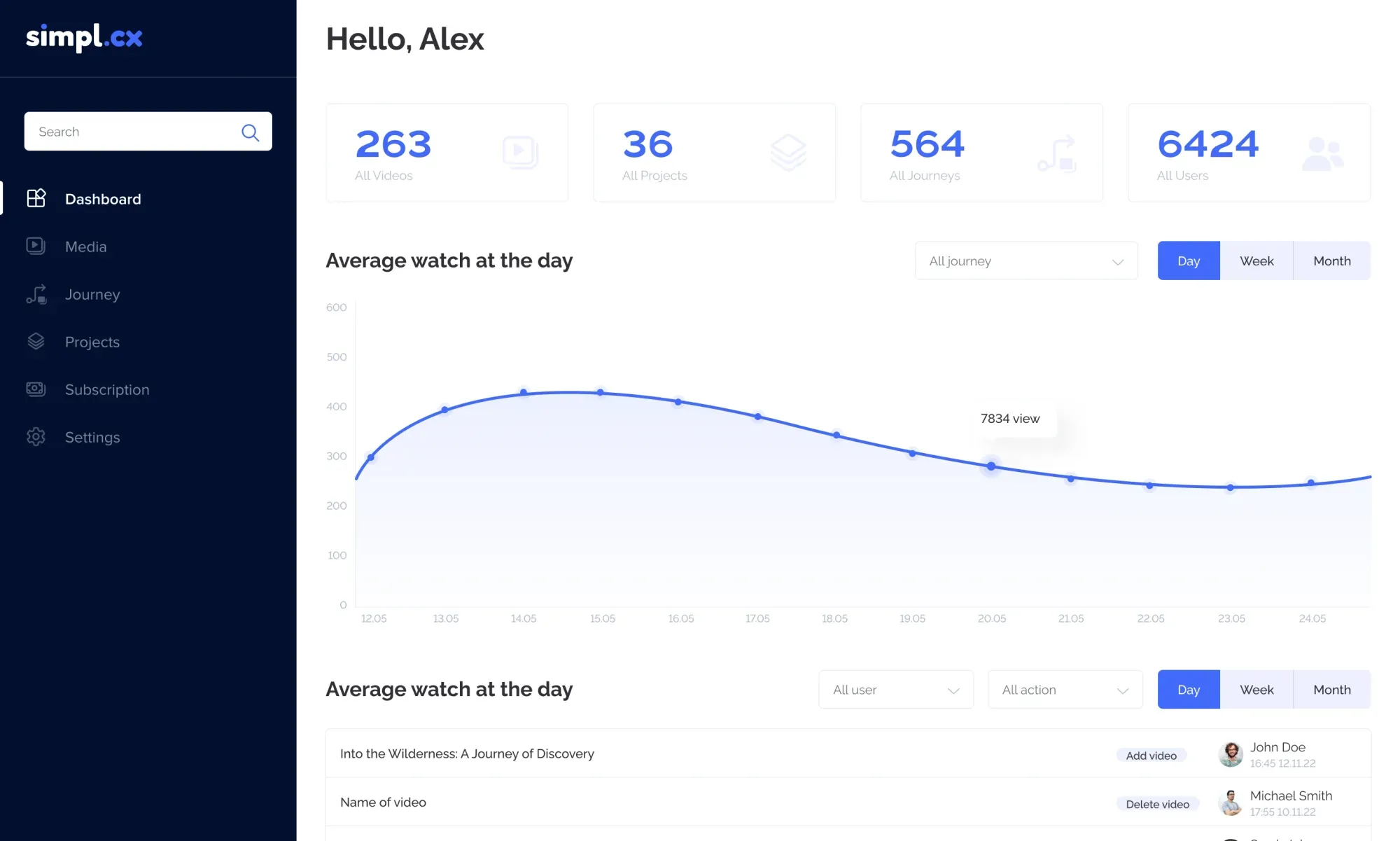
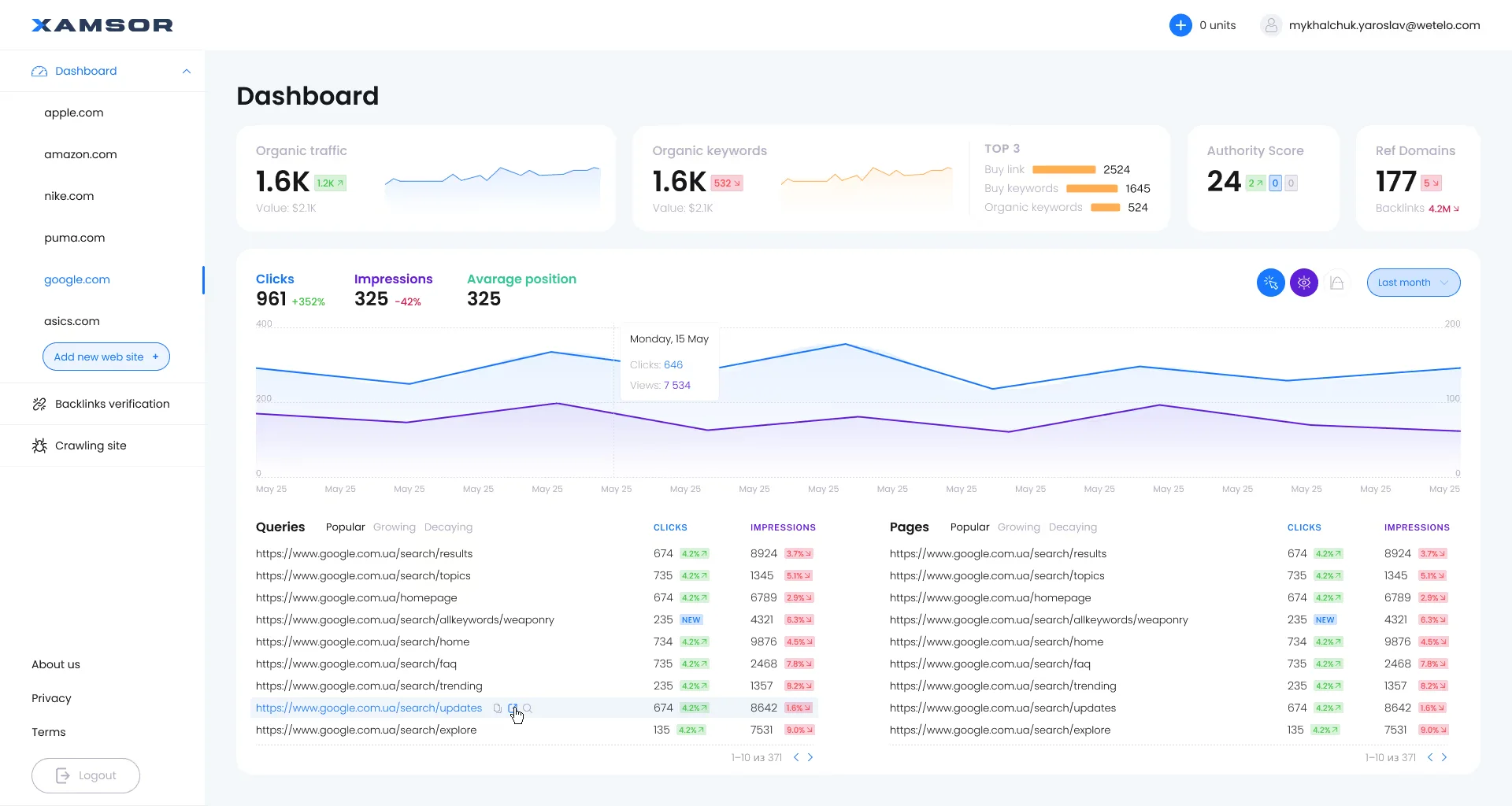
B2B SaaS & Complex Web Services
SaaS UX/UI Redesign: Transform Heavy Operational Data into an Intuitive Workspace
Minimize cognitive overload, eradicate first-14-day churn, and build design systems that engineering teams can ship without UI technical debt.
Why businesses lose money here
Most B2B platforms were originally built by backend developers without product design architecture: cluttered layouts, labyrinth navigation, and absent progressive disclosure cause 40–60% of trial users to churn before ever converting.
What we focus on
Heuristic UX Audit & User Journey Friction Mapping
Information Architecture & High-Density Wireframes
Production Design System & Design Tokens in Code
Interactive Prototypes & React Implementation Support
Problems We Solve
We eliminate interface bottlenecks that drain your ad budget, slow down operations, and lower conversions.
High onboarding drop-off and trial-to-paid churn
New users register, land inside a bewildering empty state without progressive guidance or an immediate Aha-moment, and abandon the tool in frustration within 10 minutes.
Solution:
Designing frictionless interactive onboarding walkthroughs, populated demo datasets, and progressive configuration wizards with milestone rewards.
Result:
25–45% lift in trial-to-paid conversions and radical acceleration of user time-to-value.
Cognitive overload in complex data tables and analytics
Power users spend 6+ hours daily inside the app struggling with low-contrast fonts, endless dropdown menus, and the absence of instant keyboard search.
Solution:
Implementing high-density table typography, command-palette navigation (Cmd+K), persistent filter bars, and scannable visual contrast hierarchies.
Result:
30% reduction in routine task execution time and substantial reduction in operator errors.
Developer handoff friction and UI production bugs
Figma files omit critical edge cases, loading skeletons, API timeout states, and text overflows, forcing developers to make improvised UI choices during sprints.
Solution:
Design Engineering methodology: components built with tokenized spacing, strict auto-layout, and complete state coverage mapped 1-to-1 to React components.
Result:
Frontend sprint velocity doubled with complete eradication of visual regressions and UI debt.
Inconsistent multi-module architecture (Feature Creep)
Successive feature releases turn the platform into a patchwork of mismatched buttons, inconsistent modals, and conflicting navigational paradigms.
Solution:
Architecting a unified, scalable design system with centralized atomic primitives, accessibility compliance (WCAG 2.1), and dev documentation.
Result:
Cohesive user experience across all modules, allowing new engineers to ship on-brand screens effortlessly.
Let's Work Together.
Ready to bring your vision to life? Let's team up on your next project and create something unforgettable together.
What You Get
Every stage is a structured process with concrete deliverables and completion timelines.
Heuristic UX Audit & User Journey Friction Mapping
Deep heuristic evaluation of the current software using Nielsen heuristics, identifying conversion bottlenecks, cognitive dead-ends, and churn risks.
Onboarding funnel analysis and first-15-minute user flow audit
Accessibility and visual hierarchy stress-testing for core dashboards
Friction log scored against an Impact vs. Effort prioritization matrix
Executive video presentation with actionable architectural steps
Information Architecture & High-Density Wireframes
Architecting multi-tenant global navigation, Cmd+K command palettes, multi-pane layouts, contextual drawers, and high-density data tables.
Optimized collapsible sidebar navigation and breadcrumbs
Responsive grid templates supporting viewports from 1280px to 4K
Bulk action bars, multi-layered sorting, and fast filter drawers
Full system state specifications: loading skeleton, empty, error
Production Design System & Design Tokens in Code
Comprehensive UI component library: color palettes, dark and light themes, typography scales, buttons, form elements, modals, and charts.
Figma component library built with Auto Layout, variants, and component slots
Synchronized JSON design tokens ready for Tailwind / CSS variables
Native Dark & Light modes with verified WCAG AAA contrast ratios
Usage guidelines and edge-case documentation for frontend developers
Interactive Prototypes & React Implementation Support
Clickable high-fidelity prototypes demonstrating micro-interaction physics alongside hands-on sprint support for your React/Next.js engineering team.
Clickable user journey flows in Figma or ProtoPie
Micro-interaction physics specifications for GSAP/CSS animations
Design QA audit on staging environments prior to production release
Bi-weekly pair reviews with frontend engineers during sprints
FAQ
Answers to common questions from business owners regarding timelines, process, and handoff.
Accelerating Time-to-Value eliminates buyer remorse. When users accomplish their core workflow in 2 clicks instead of 10, trial-to-paid conversion surges by 30–40% while monthly logo churn declines because the platform becomes seamlessly embedded into their operational muscle memory.
No. We architect the modernized interface around your existing REST or GraphQL endpoints. If necessary, we only recommend endpoint consolidation or edge caching to maximize perceived responsiveness without requiring a database overhaul.
We implement progressive disclosure: presenting executive KPIs at top-level glance while tucking forensic data tables and deep filters behind persistent side-drawers, saved custom views, and command-line shortcuts, completely eliminating clutter.
We deliver code-ready systems, not static visual art. Every screen includes Auto Layout rules, tokenized CSS variables, loading states, error boundaries, and empty states. We conduct hands-on Design QA directly on your staging builds to verify pixel accuracy.
Expert Breakdowns & Cost Guides
High-Density Data Dashboard Design: Architecting Complex Analytics Without Cognitive Overload
02Slashing B2B SaaS Churn by 30–45%: Fixing Critical UX Mistakes in First-Week Trial Onboarding
03SaaS Pricing Page Redesign: Tier Architecture, Annual Switch Psychology & Boosting ARPU by 35%
04Why Developers Take Months Rebuilding Figma Mockups: Design Tokens & Closing the Dev-to-Design Gap
05Designing UX for AI Agents & Generative Software: Human-in-the-Loop Controls, Streaming & Trust Patterns — Architecture Cost & ROI